SocialBlazeInstagram · Comment
We do! The blue one is back in stock. I’ll send you the link.
♡ Like↩ Reply•••

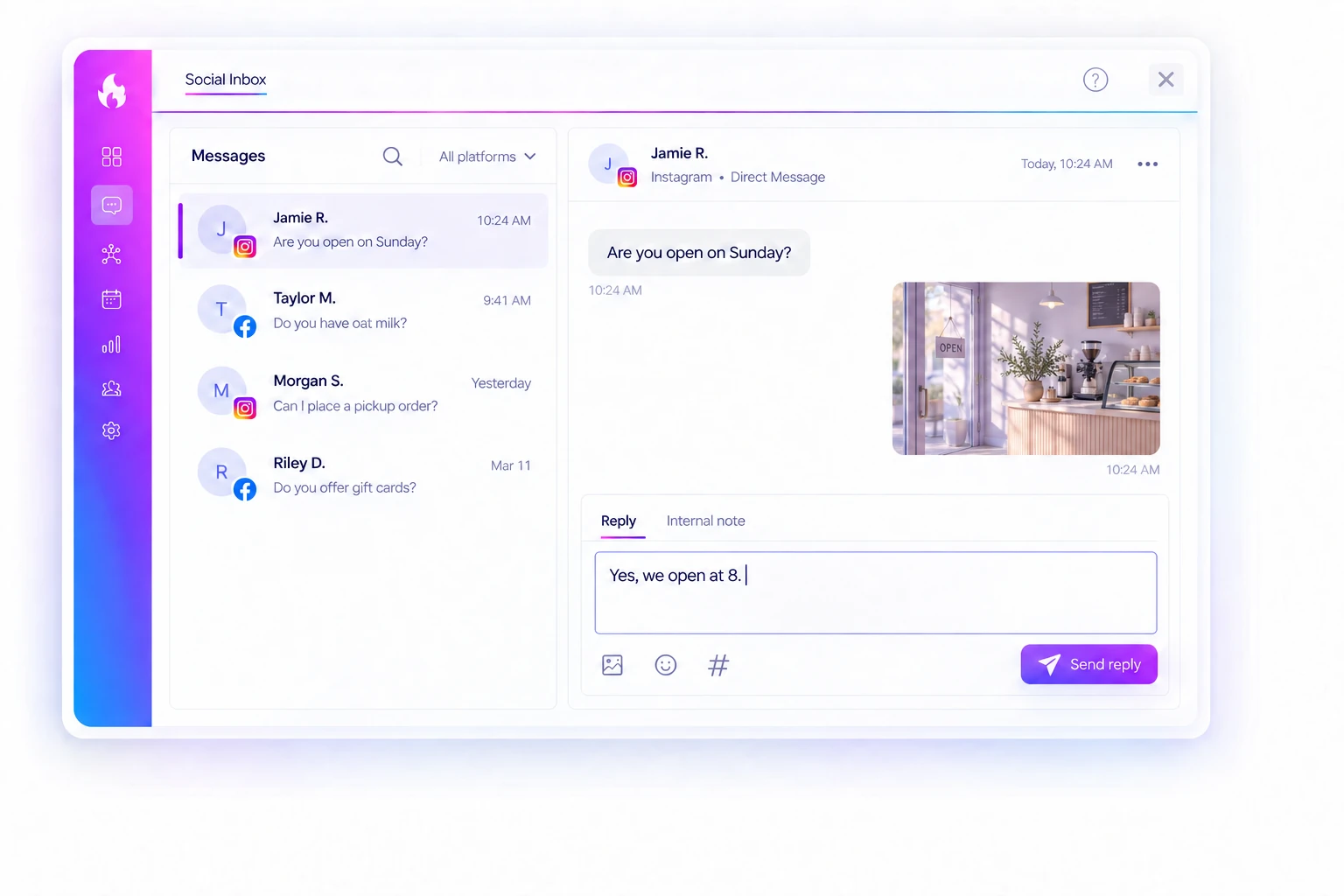
01 · ENGAGEMENT & SOCIAL INBOX
Open SocialBlaze to review messages and comments available from your connected networks. Keep more of your conversation work together, with the original thread close by when you need context.
Start Free Forever →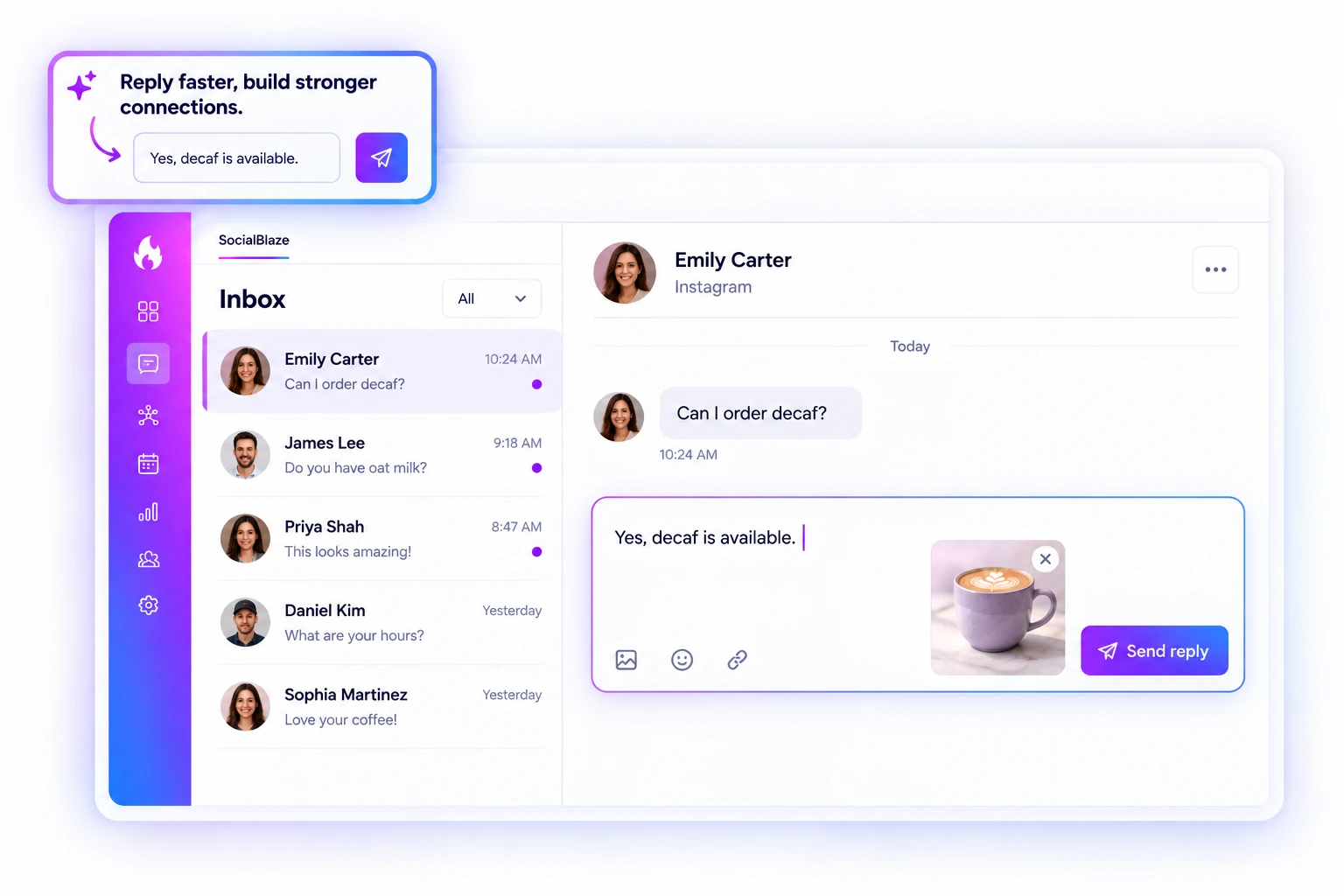
02 · ENGAGEMENT & SOCIAL INBOX
Read the customer’s message, write your response, and send it from the inbox where supported. It is easier to give a useful answer when you can see what they are asking about.
Start Free Forever →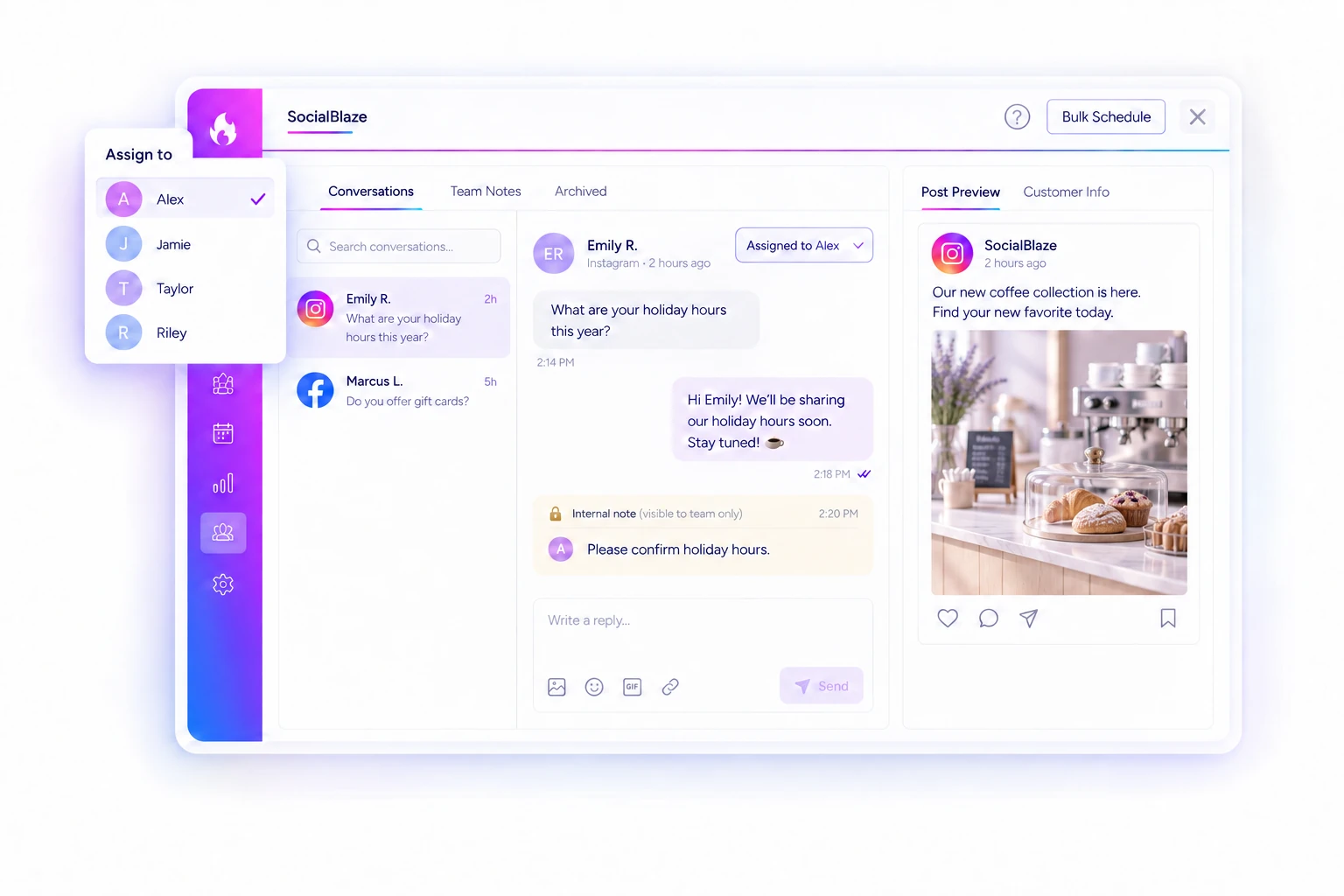
03 · ENGAGEMENT & SOCIAL INBOX
Assign a conversation to the teammate who should handle it. Your team can see who is responsible, making handoffs clearer when a question needs someone else’s attention.
Start Free Forever →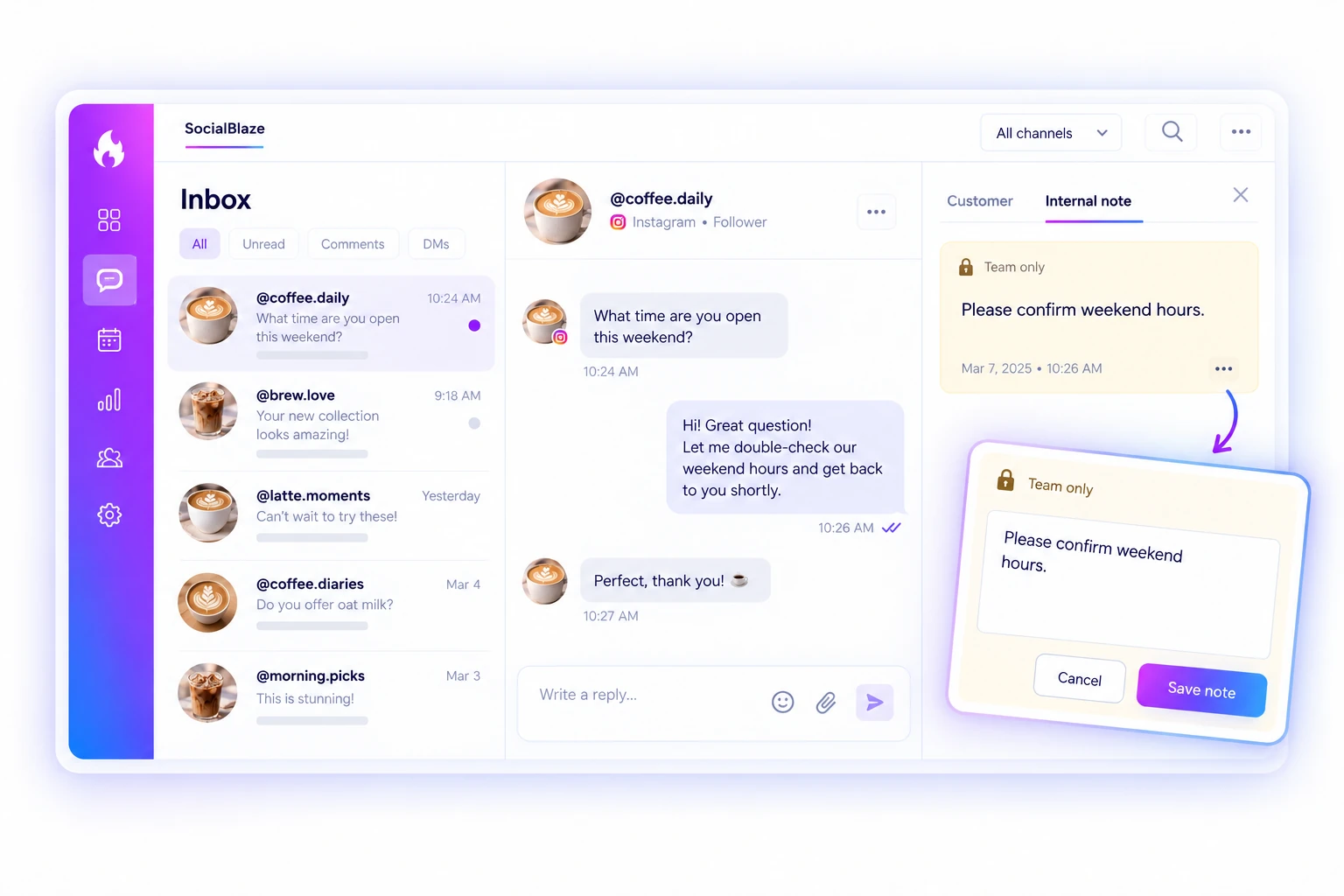
04 · ENGAGEMENT & SOCIAL INBOX
Add an internal note when a teammate needs background or a reminder. Notes stay visible to your team, so you can coordinate an answer without posting that discussion to the customer.
Start Free Forever →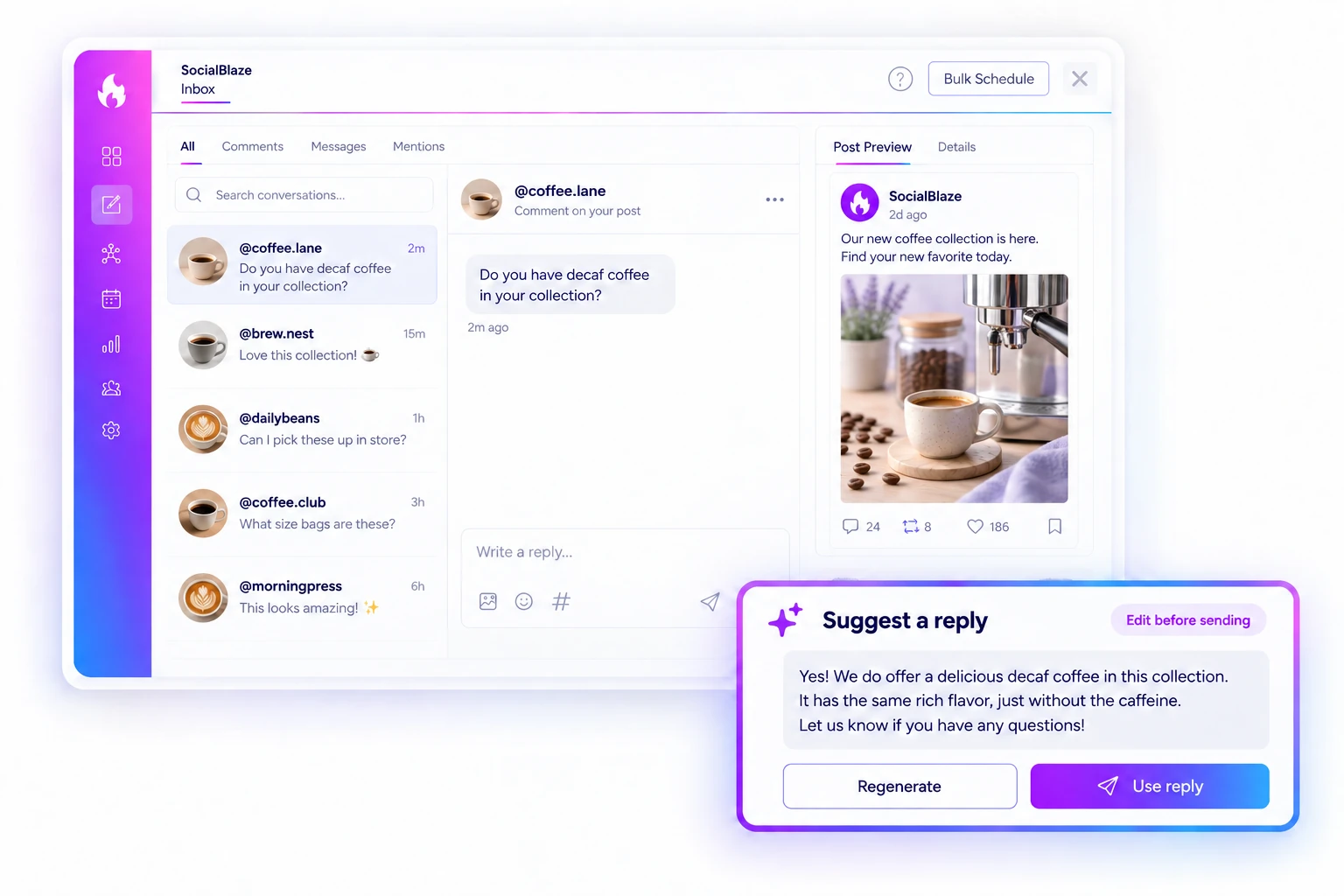
05 · ENGAGEMENT & SOCIAL INBOX
Use an AI reply suggestion as a starting point when you need help finding the words. Read it, add the right facts, and edit it to sound like your business before sending.
Start Free Forever →Creating, collaborating, and keeping it all moving.
Here’s how SocialBlaze fits into their day.
Since implementing Social Blaze, our social media management has become a breeze. With its intuitive interface and comprehensive features, we’ve been able to streamline our workflow, save time, and effectively engage with our audience. It’s truly revolutionized the way we approach social media, and we couldn’t be happier with the results.

Social Blaze has transformed the way our team collaborates on social media projects. With its seamless communication tools and centralized platform, we can easily coordinate tasks, share ideas, and ensure consistency across all our channels. It’s increased our productivity and effectiveness, leading to better results for our business.

Thanks to Social Blaze’s robust analytics, we now have a deeper understanding of our social media performance. The detailed insights and metrics provided have empowered us to make informed decisions and refine our strategies for maximum impact. It’s been invaluable in helping us achieve our business goals.


We’ve been consistently impressed with the level of support and service provided by Social Blaze. From onboarding to ongoing assistance, their team has been responsive, knowledgeable, and dedicated to ensuring our success. It’s been a pleasure working with them, and we highly recommend their platform to anyone looking to elevate their social media presence.
Bring your content, channels, and team together.

