
The best YouTube content ideas for photographers are the shoots you’re already doing
Every client session, every edit, every lens you reach for is a video someone is searching YouTube to understand right now. Here is how to turn a day you were already working into a library of tutorials, edit walkthroughs and behind-the-scenes clips that keeps bringing cameras, clients and respect long after the shoot wraps.

Naomi Brooks
Photographer YouTube content guide · October 2026
·
13-minute read
Ready-to-edit example
Measurement plan
@MiguelQuilesJr
A portrait photographer’s case for growing by teaching your process consistently — the compounding kind of channel, not the one-hit kind.
Real video · @MiguelQuilesJr on YouTube
If you shoot portraits, weddings, newborns, products or real estate, you already spend your days doing the exact things thousands of people are searching YouTube to learn — how to pose a nervous couple, how to light a gloomy venue, how to get skin tones right in Lightroom, which lens actually earns its place in the bag. YouTube is the second-largest search engine on the planet, so those searches are enormous and they never really stop. The expertise is never the problem for a working photographer. The problem is that the only afternoon you had free to film a tutorial got eaten by a cull, a gallery delivery and three new inquiries, and the idea evaporated. One shoot, filmed as you work and cut into a long-form tutorial plus a few Shorts, fixes that gap — and it keeps teaching, and attracting the right clients and peers, while you move on to the next booking.
Film the work you already do — capture behind-the-scenes on your next session, screen-record one real edit, and talk through the gear and technique decisions you make anyway — then publish one searchable long-form tutorial or edit walkthrough a week plus two or three Shorts cut from the same footage. These are the YouTube content ideas for photographers that cost no extra shoot day: honest titles that match how people search, your own images and your own edits only, model or client permission before anyone recognisable appears, and a month of it scheduled ahead so your channel keeps publishing through your busy season.
Key takeaways before you read further
Why YouTube rewards a photographer’s process more than a pretty feed ever will
We have watched a lot of creative-business marketing, and photographers have an advantage on YouTube that most visual pros overlook: the platform does not reward the finished photo nearly as much as it rewards the process behind it. A gorgeous gallery scrolls past on an image-first feed in a second. A clear “here is exactly how I lit and edited this portrait” walkthrough keeps answering a search for years, because the questions — how to pose, how to light, how to edit skin, which lens — barely change. That evergreen, search-driven shelf life is what YouTube is built to keep surfacing, and it is the opposite of the here-today-gone-tomorrow churn of a grid.
That shelf life is why YouTube behaves less like a feed and more like a library you are stocking. People arrive by searching a specific problem, and the photographer whose calm, generous, well-made answer shows up earns a sliver of trust — from a future client who now sees you as the expert, and from peers who start sending you referrals and second-shooter work. Both of those matter to a photography business, and both are won on credibility built over time rather than a single viral reel. A dependable scheduler matters here precisely because the people best placed to make this content are busiest exactly when it matters most.
One honesty discipline sits above the rest for a photographer teaching in public: show your own work and your own edits, never someone else’s images dressed up as yours, and be straight about the gear, the presets and any brand that paid you. If a lens was gifted or a session was styled, say so. That is not a legal footnote you add grudgingly — it is the honest framing that keeps you on the right side of copyright and advertising norms and, frankly, makes you far more credible to the thoughtful viewer who can smell a hidden sponsorship a mile off.
Profile makeover
A fictional but realistic photographer’s YouTube channel, before and after applying our recommendations
BEFORE → AFTER
@jdeanphotos
Photographer. Available for bookings.
5 videos · 83 subscribers · no titles that match a real search, no release note, random uploads
@JDeanPhoto.Studio
Portrait & wedding photographer sharing honest edit walkthroughs, posing tutorials and behind-the-scenes from real shoots. My own images, shown with permission. New tutorial every week — booking link below.
80+ videos · growing audience of clients and fellow shooters · portfolio link in every description
Teardown: a portrait photographer’s case for starting a channel
Miguel Quiles — a working portrait photographer who publishes on YouTube
REAL CASE STUDY
Why this one works
Judging by its title — “Photographers Need A YouTube Channel! Here’s How To Start & Grow One” — this video, from a working portrait photographer, lands on the point we think every shooter sitting on an unused channel needs to hear: the growth comes from consistently teaching your process and letting people see how you work, not from chasing one viral upload. That framing is the entire argument for a video calendar. A photographer who publishes a genuine tutorial or edit walkthrough every week slowly becomes the name a searching couple already trusts and the shooter other photographers recommend, which is how photography work actually arrives — on credibility built over time. For a photographer, the takeaway is not to copy any one upload wholesale; your niche, your style and your market are specific to you. The transferable idea is the discipline: treat your real shoots and real edits as a steady stream of honest, searchable content, show only your own work with permission, and let the library compound. We have not watched every second, so treat our read as an informed inference from how the video presents itself rather than a frame-by-frame verdict.
Steal this: Commit to one searchable tutorial or edit walkthrough and a couple of Shorts cut from the same shoot every single week, show only your own work with permission, and let the library compound instead of waiting for a viral idea.
The videos that answer a real search — shot on a day you were working anyway
Start from the questions you already answer for free in DMs and at consultations. “How do you pose couples who feel awkward?” “How do you edit for natural skin tones?” “What’s in your wedding-day bag?” “How do you shoot a dark reception?” Each is a long-form tutorial with a title that matches how people actually search. The two formats that carry a photography channel are the gear-and-technique tutorial — posing, lighting, location scouting, lens comparisons tested in a real shoot rather than off a spec sheet — and the edit walkthrough, where you screen-record taking one of your own raw files to a finished frame and narrate every decision. Film either properly and you have a durable, searchable asset; pull three self-contained thirty-second moments from the same footage and you have a week of Shorts for reach.
Then let the human side show, because people hire and follow a person, not a logo. A client-experience vlog — a calm day-in-the-life of a wedding, from the nervous morning to the first-look — shows prospective clients exactly what working with you feels like. A behind-the-scenes clip of a studio setup, a quick “mistake I made and how I fixed it,” a short tour of how you back up and deliver galleries: this is the texture that separates you from every other shooter in town. Capture it as you work, so it costs you footage and a little narration rather than a whole extra day.
Round it out with honest reviews and seasonal ideas: a gear review that names what you were given or paid for, a “mini-session behind the scenes,” a “what to wear for a family shoot” explainer. Two hard rules hold across every video. Use only your own images and edits, and get a written model or client release before anyone recognisable — a client, a child, a couple — appears on your channel, because a paid session is not consent to be turned into content. And never promise an outcome you cannot honestly guarantee or invent a statistic to sound authoritative. Plan it all on one calendar so your Facebook page and the rest of your channels can draw from the same shoots, and so a single filming day stretches across weeks.
Pat Kay’s “The Ultimate Guide For How To Edit In Adobe Lightroom (End-To-End)” is a strong model for the edit-walkthrough format we’d build a channel around — a working photographer taking one of his own frames from raw to finished and narrating every decision, the kind of durable, search-friendly teaching that earns trust without ever posing as anything but his own process. @patkay on YouTube
Reading the numbers that signal a future client or referral, not just a view
Here is where photographers, who obsess over every detail in an edit, tend to go soft: they watch subscriber and view counts the way they chimp the back of the camera, and those are the weakest signals you have. The numbers that actually predict a booked session or a referral sit deeper — average view duration on your tutorials, watch-through on Shorts, saves, and above all the clicks from your video description to your portfolio or booking page. A viewer who watches eighty percent of an eight-minute posing tutorial and then clicks through to your site is a warm prospect or a peer who now trusts your eye. A thousand two-second Short views are mostly noise.
Treat your long-form and your Shorts as doing two different jobs, and judge them differently. A Short’s job is reach — getting a new couple or a fellow photographer to discover you exist — so watch-through and new-viewer percentage are the right lens. A long-form tutorial or edit walkthrough is about depth and search, so you care about how long people stay and whether it keeps earning impressions from search weeks after you posted. Comments matter too, and for a teaching channel they are gold: a thoughtful reply that genuinely helps, rather than a one-word thanks, is what turns a viewer into someone who recommends you. Just resist turning every comment into a sales pitch.
The practical loop is to review everything in one place each week, note which topics pull both watch time and description clicks, and film more of those on your next shoot. If your “editing skin tones in Lightroom” walkthrough quietly out-earns everything on search while a trendy Short just spikes and fades, you weight your next filming day toward the durable, searchable questions. A scheduler with built-in analytics keeps that loop tight; for the broader framework, our social media scheduler guide walks through it, and if you shoot across several networks, our guide to how to schedule social media for photographers ties the whole calendar together.
How to film a week of photographer video on a day you’re already shooting
Three steps, one shoot, no extra production day
QUICK START
SocialBlaze helps you plan, write, and publish across every platform — free to start.
What a sample content week looks like
A workable week for a photographer assumes you are not filming a fresh production on a free day and that everything was captured on a shoot you were already doing or edited at your desk. We anchor the week on the tutorial or edit walkthrough, because that is the asset search keeps surfacing, and cut the Shorts from the same footage. Every item uses only your own images, shows recognisable people only with a signed release, and is honest about gear and sponsorship.
Your weekly content rhythm
A repeatable seven-day framework you can start using tomorrow
SAMPLE CALENDAR
Your first four weeks
Week 1: Build the tutorial library
Spend this week turning your real work into a filming plan. List the twenty questions you answer most in DMs and consultations — posing, lighting a dark venue, editing skin tones, which lens, what to wear — and rank them by how often people ask. Then decide which to capture on your next few shoots and which to screen-record as edit walkthroughs. Set a second camera or phone to roll on your process, and get releases signed before anyone recognisable is filmed, because a paid session is not consent to appear on your channel. Write a reusable description template now: an honest summary, a portfolio and booking link, and a line disclosing any gifted gear or sponsorship. Set the channel up properly too — your real studio name, a clean banner, an accurate bio. The goal this week is not subscribers yet; it is simply never again losing the perfect tutorial idea to a delivery deadline.
Week 2: Establish the cadence
Now you publish on schedule and watch what lands. Keep the Monday tutorial or walkthrough sacred and fill the Shorts slots from your growing footage. Start giving titles the discipline they deserve — match how people actually search, and strip out any accidental overpromise, because “get these exact results” language is both misleading and a quick way to lose trust. Reply to comments generously; for a teaching channel, a genuinely helpful answer is what turns a viewer into someone who recommends you, so resist turning every reply into a pitch. Note which topics pull real watch time and description clicks versus which just collect idle views, because watch time and clicks are prospects and peers moving toward you while raw views are mostly applause.
Week 3: Lean into what gets watched to the end
Three weeks in, patterns appear. Maybe your “editing skin tones” walkthrough quietly earns search impressions every day while a trendy Short spiked and vanished. Maybe your calm client-experience vlog pulls the most booking-link clicks because it shows nervous couples exactly what working with you feels like. Rebalance your next filming day toward whatever earns deep watch time and clicks, and keep the pure-reach Shorts as the top of the funnel rather than the goal. This is also the week to get ahead of your calendar: capture season-specific content — a mini-session behind the scenes, a “what to wear for autumn family photos” explainer — well before the rush, so it is scheduled and live the moment people start searching for it, not scrambled together the night before a busy weekend.
Week 4: Systematize for your busy season
By now the loop should feel automatic: capture process on real shoots, record one edit at the desk, cut Shorts from the footage, schedule weeks ahead, review watch time and clicks on a quiet morning. Formalize it. Keep a running list of client questions so you never face an empty filming plan, and set a recurring block to screen-record a walkthrough from each delivery. Crucially for a photographer, get your season content queued before the rush — wedding season, the holiday-portrait crush — because the months when clients search hardest are the exact months you have the least spare minute. Lock in the two non-negotiables permanently: only your own images and edits, with a signed release before any recognisable person appears, and honest disclosure of gear and sponsorship. The aim is a channel that keeps teaching, and earning clients and referrals, on the strength of the shoots you were already doing — not on finding production time you do not have.
Frequently asked questions
What should a photographer actually post on YouTube?
Lead with the two formats that carry a photography channel: searchable tutorials — posing, lighting, location scouting, lenses tested in a real shoot — and edit walkthroughs, where you screen-record taking one of your own raw files to a finished frame and narrate every decision. Those are the exact things people type into YouTube, which is the second-largest search engine in the world, so a clear tutorial can keep surfacing for years. Mix in behind-the-scenes clips from real sessions, a client-experience vlog that shows what working with you feels like, honest gear reviews, and the occasional “mistake I made and fixed,” because viewers follow a person, not a logo. Film long-form for search and cut Shorts from the same footage for reach. Two rules hold throughout: use only your own images and edits, and get a signed model or client release before anyone recognisable appears, because a paid session is not consent to become content.
How often should we post, and how do we keep it up during wedding season?
One searchable tutorial or edit walkthrough a week, plus two or three Shorts cut from the same footage, is a realistic and effective rhythm. Consistency matters far more than volume: a steady weekly upload slowly builds the search presence and trust that bring clients and referrals, whereas a burst of ten videos followed by silence through your busy season does not. The season is exactly why scheduling matters so much here. You are not going to film and publish daily in peak wedding months, and you should not try. Instead, capture process on the shoots you are already doing, screen-record an edit when you deliver a gallery, cut the Shorts, and load a month at a time into a calendar so the channel keeps publishing automatically while you are buried in bookings. The weeks you are slammed are the weeks prospects search hardest, so build the queue before the season starts.
How do we make tutorials without giving away our whole business or breaking copyright?
Teach generously with your own work and you lose nothing — you gain the trust that brings clients and referrals. The copyright line is simple: show only images you shot and edits you made, never someone else’s photos dressed up as a demonstration of your process, and if you reference another creator’s work, do it briefly and with clear credit rather than reproducing it. On your own images, get a signed model or client release before anyone recognisable — a couple, a child, a client — appears on your channel, because the fact that you were paid to photograph them is not consent to turn them into content. As for giving away secrets, the working photographers who teach the most openly tend to book the most, because a prospective client who watches you solve a problem decides they want you solving theirs. Share the how; your eye, your experience and your presence on the day are not something a tutorial can hand away.
Can we promise clients amazing results or exaggerate our gear to get views?
No, and you should actively avoid it. Overpromising — “get these exact results guaranteed,” an invented success figure, a before-and-after that was not really a single edit — attracts the wrong viewers and erodes the trust the whole channel depends on. Be honest in your titles and your claims: “how I edit natural skin tones” beats “the secret the pros won’t tell you” and it ages far better. Be equally honest about gear and money: if a lens was gifted, a session was styled, or a brand paid for the video, disclose it clearly, because hidden sponsorships break both advertising norms and your credibility the moment anyone notices. State only the experience and the results you genuinely have, show only your own work, and let the honesty itself become part of why people trust and recommend you. Hype gets a few clicks; honest, useful content compounds into bookings.
Is long-form or are Shorts better for a photographer?
You want both, doing different jobs from the same shoot. Long-form tutorials and edit walkthroughs are your durable, searchable assets — an eight-minute “how I pose and edit a couple” video can keep earning search impressions and portfolio-link clicks for years, which suits the evergreen nature of photography questions perfectly. Shorts are your reach layer: a self-contained thirty-second posing cue or edit trick that helps a new couple or a fellow photographer discover you exist, judged on watch-through rather than depth. The efficient move is to capture process on a real session and record one edit, then cut two or three Shorts out of that footage, so a single filming effort feeds the whole week across both formats. Judge them on the right metrics — watch time and description clicks for long-form, watch-through and new-viewer reach for Shorts — and schedule the batch ahead so the channel never goes quiet when you are deepest in deliveries.
Turn the shoots you’re already doing into a channel that teaches while you work
You already have the expertise, the shoots and the edits — the only missing piece is a place to plan the videos and a way to publish them without stopping mid-delivery to do it. Capture process on your next session, screen-record one edit, cut your Shorts, and load weeks of tutorials and walkthroughs into SocialBlaze so your studio keeps teaching across YouTube, Facebook and your other channels straight through your busy season. Show only your own work, keep anyone recognisable behind a signed release, stay honest about gear, and let the library earn clients and referrals on its own.
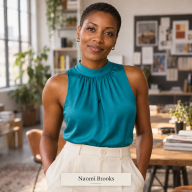
Naomi Brooks writes practical social media field guides for small businesses at SocialBlaze — the organic social media scheduling and analytics platform built for independent brands.
Case-study videos are embedded from their creators’ public accounts and remain the property of their creators. Figures mentioned reflect publicly visible information at the time of publication (October 2026). SocialBlaze is an organic social media management tool — it does not run ads or manage paid campaigns.

