
Instagram post scheduler for coffee roaster teams: how to plan a feed around the roast schedule
A roastery has a natural calendar: green coffee arrives, roast days come round, bags are packed, orders go out and then the whole cycle starts again. The trouble is that the people best placed to photograph and describe all of that are the ones with their hands full of beans. This guide shows how to capture the good moments as they happen, plan them into an Instagram calendar and let them publish on schedule, so the feed keeps pace with the roaster instead of the other way round. Good coffee roaster marketing is mostly this: noticing what is already happening and sharing it on a plan.

Maya Bennett
Instagram scheduling guide
·
12-minute read
Ready-to-edit example
Measurement plan
Valor Coffee
Today’s roast, cooling in the tray. This single-origin lands on the shelf tomorrow.
Real video · Valor Coffee on YouTube
An Instagram post scheduler for coffee roaster businesses solves a very specific problem: the best photographs happen on roast days, but the best time to post them is rarely the moment you take them. A roaster is judged on the coffee, not on the feed, so social media for coffee roaster teams gets squeezed between sourcing, roasting, packing and dispatch. That is how a small roastery ends up with six gorgeous posts in launch month and a silent profile through the next three. Coffee roaster social media works the opposite way to how most owners treat it. It needs short, regular, honest posts that show the work: green beans arriving, a profile being dialled in, a bag being sealed. This guide explains what to capture, how to turn it into a calendar and how to hold the whole thing together with a few quiet hours a month.
An Instagram post scheduler for coffee roaster businesses lets you write captions and choose images now, then publish them automatically at the days and times you set. In practice, to schedule posts for coffee roaster brands, you capture photos and clips on roast days, choose the best ones in a single sitting, write the captions at a desk and queue them as a mix of carousels, Reels and single images across the coming weeks. Plan around the roast schedule, new arrivals and restocks, keep a few slots open for what comes up and reply to comments yourself. SocialBlaze is an organic scheduling and analytics tool that plans, schedules and measures the content you publish. It is not an ad manager, a wholesale portal, an online shop or an inbox autoresponder.
Key takeaways before you read further
Why an Instagram post scheduler for coffee roaster businesses fits the roast calendar
Roasting runs in cycles, and cycles are exactly what a calendar is good at. Green coffee lands, samples are cupped, a profile is chosen, the roast days are set, bags are filled and the orders go out. Each stage produces something worth showing, yet none of them happens at a convenient moment for posting. An Instagram post scheduler for coffee roaster teams solves that by letting you capture on the day and publish on a plan, so that a quiet week of production does not become a quiet week on the feed. That is why social media for coffee roaster teams rewards planning.
The mechanics are simple. You connect the account once, upload an image, carousel or Reel, write the caption and choose a date and time. The tool publishes it for you at that moment. A shared calendar then shows the whole month on one screen, which makes gaps and pile-ups obvious. The best part for a small roastery is that the person doing the roasting never has to remember to post. A dependable Instagram post scheduler carries that load while the roaster does the work that actually makes the coffee.
It also helps to be honest about what the tool does not do. It does not talk to customers, it does not fix a weak photograph and it does not guarantee reach. What it gives you is consistency. For coffee roaster marketing that is no small thing, because a steady, recognisable presence tells people the roastery is active, the coffee is fresh and somebody is home. That impression is worth more than a single clever post.
Profile makeover
A fictional but realistic small-batch roastery profile, before and after planning posts around the roast schedule
BEFORE → AFTER
@northlaneroasters
Small batch coffee ☕ Roasted fresh. Orders in bio. DM us!
A burst of posts around the opening month · then weeks of nothing · roast-day photos left on a phone · the same caption copied across every post
@northlaneroasters
Small-batch roastery · roast days, origins and brewing tips · new coffee when it is ready · questions welcome in the comments ↓
Photos captured on every roast day · one fortnightly caption session · posts queued ahead of time · comments answered by the roaster · a monthly look at what was saved and shared
Social for coffee roasters
For a coffee roaster whose craft and beans are made to be shown,
REAL CASE STUDY
Advice for exactly this trade
A video on social media and Instagram for coffee shops and roasters is a direct, welcome match. Advice shaped for roasters translates straight into scheduled Instagram posts.
Steal this: Post one step of the process each week, such as a roast cooling or a fresh bag being sealed.
Content for coffee roaster feeds that earns saves and follows
The strongest content for coffee roaster accounts shows the process in plain, tactile detail. A close-up of green beans being poured into the drum, the colour change at first crack, the cooling tray, the scoop, the scale, the stamped bag. Carousels suit this well, since a sequence of five images can follow a batch from sack to shelf. Reels work for the motion that photographs cannot capture, like beans tumbling or steam rising from a fresh brew. Stories are good for roast-day updates that do not need to live forever. Whichever Instagram post scheduler for coffee roaster teams you choose, check which formats it can publish.
Beyond process, tell the stories behind the coffee. Where the beans come from, who grew them, how they were processed and what the cup tastes like. Be careful with sourcing and quality claims. Only describe certifications you actually hold and only describe practices you can verify. Tasting notes should sound like tasting notes, specific and modest. Avoid health claims about caffeine or energy, and avoid anything that reads as medical advice. Roasters earn trust by being precise about their coffee.
Finally, give people something to do with the coffee. Short brewing tips, a note on how to store beans, a reminder of the next roast day and a heads-up on when a favourite is back in stock all make good coffee roaster content that people save and share. Plan this coffee roaster marketing into loose themes and let a shared content calendar show which themes you have used lately and which are due.
Scheduling posts for a coffee roaster without losing the roast day
Scheduling posts for a coffee roaster works best when it is built around a single capture habit. On each roast day, spend a few minutes taking photographs and clips of what is already happening. Do not stage anything elaborate. Drop them into a folder labelled by date and origin. Once a fortnight, spend an hour choosing the best of them and writing captions at a desk, then schedule posts for coffee roaster launches, roast days and restocks across the coming weeks. That one hour is the whole job.
Spread the posts so the feed follows the roast rhythm. A roast-day post early in the week, an origin story midweek, a brewing tip toward the weekend, a restock note when a bag returns. Leave one or two slots open for the unplanned, like a visiting grower or a delivery of something special. If you also sell wholesale, keep that conversation in your normal channels; the scheduler is for the public feed. Coffee roaster social media looks best with variety, so mix formats, and check the preview so crops do not cut off a label.
Review on a calm monthly rhythm. Look at which posts earned saves and shares rather than passing views, and which sent people to the website. Then shift the next batch. If you run several channels, a single social media scheduler can carry the same photographs to other networks in the right shape for each, so one roast-day capture session feeds all of them.
From sporadic posts to a feed that follows the roast days
Three steps — capture on roast days, caption in one sitting and let the calendar publish
QUICK START
SocialBlaze helps you plan, write, and publish across every platform — free to start.
What a sample content week looks like
This sample week shows coffee roaster social media running around a normal production schedule. Every post was captured on earlier roast days and queued at a desk, so nothing depends on stopping the roaster to take a photograph. The only live work is the human part: replying, answering and watching what lands.
Your weekly content rhythm
A repeatable seven-day framework you can start using tomorrow
SAMPLE CALENDAR
Your first four weeks
Week 1: Connect the account and map the roast calendar
Connect the Instagram account and any other network you really use. Then write out the next month of your roast schedule, arrivals and restocks on one page. That page is your content map, because each event is a post waiting to be captured. Decide who takes photographs on roast days and where they are stored. You do not need to publish anything yet. The aim is a clear picture of the moments you already have and a simple capture habit you can keep.
Week 2: Capture, choose and caption the first batch
Take photographs and clips on every roast day this week, then sit down and pick the best twelve or so. Write the captions at a desk. This is the week to practise using an Instagram post scheduler for coffee roaster content in a calendar: set a date and time on the first two posts and see how quickly the rest follow. Mix carousels, a Reel and a few single images, and describe only what you can verify about the coffee.
Week 3: Fill the calendar and build a two-week buffer
Load the remaining posts across the next few weeks and space them so the feed follows the roast rhythm. Leave one or two slots open on purpose. Scheduling posts for a coffee roaster two weeks ahead means a busy dispatch period cannot silence the account. Use the time you save to reply to comments and questions properly, because that is where regulars and subscribers are won. Preview each post to be sure labels and crops are not cut off.
Week 4: Read the results and fix the habit
Open the analytics and read them plainly. Which posts earned saves and shares, which sent people to the website, which prompted questions about the coffee? Move the next batch toward those. Put a recurring capture reminder and a fortnightly caption session in the diary. Be clear about the role of the tool: it plans, schedules and measures organic content. It does not run ads, take orders or answer customers for you, and those jobs stay with the people and systems built for them.
Frequently asked questions
Do I need professional photography to run a roastery feed?
No. A clean lens, natural light and a steady hand get you most of the way. Roast days are naturally photogenic, and honest process shots usually outperform polished staging. Consistency and clarity matter more than equipment, and you can upgrade later if the account grows.
How often should a small roastery post on Instagram?
Three or four posts a week is a sensible target for most small roasters, mixing carousels, Reels and single images. A smaller steady rhythm beats a burst followed by silence. Social media for coffee roaster brands works best when posts tie to roast days, arrivals and restocks, so the content is easy to find and always relevant.
Why choose an Instagram post scheduler for coffee roaster businesses specifically?
Because the work is cyclical and hands-on. You capture on roast days and publish later, so a calendar that holds the posts until their planned time matches how a roastery actually runs. It saves you from posting between tasks, and it lets the person roasting stay focused on the roast.
Can I talk about the health benefits of coffee in my posts?
It is safest not to. Describe origin, process, flavour and brewing, and avoid claims about energy, weight or medical effects. Keep sourcing and certification claims accurate, mentioning only those you hold. Customers trust a roaster who is precise and modest about the coffee.
Will a scheduler answer comments or handle wholesale enquiries?
No. It plans, publishes and measures the organic posts you create. Replies, order questions and wholesale conversations belong to a person, and paid promotion is a separate job for another tool. SocialBlaze stays in the organic lane and keeps the calendar tidy so you can have the conversations.
Roast on the roast day, post on the plan
A roastery already has more content than it can use: arrivals, roast days, tasting sessions, packed bags, new releases. The job is to catch it and release it at a steady pace. That is exactly what an Instagram post scheduler for coffee roaster teams is for. Capture a little on each roast day, caption in one fortnightly sitting, queue the posts across the weeks and let the calendar do the remembering. Use the time you save to talk to the people who comment about your coffee. Plan and schedule the organic content with SocialBlaze, keep ads, shop and wholesale where they belong, and let a steady, honest feed carry the roastery between batches. That is coffee roaster marketing done sustainably.
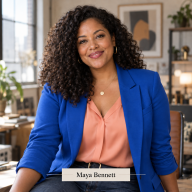
Maya Bennett writes practical social media field guides for small businesses at SocialBlaze — the organic social media scheduling and analytics platform built for independent brands.
Case-study videos are embedded from their creators’ public accounts and remain the property of their creators. Figures mentioned reflect publicly visible information at the time of publication. SocialBlaze is an organic social media management tool — it does not run ads or manage paid campaigns.

