
Instagram Marketing That Books More Wedding Clients
The real-wedding carousel of a day you actually pulled off, the behind-the-scenes Reel of the setup your couple never saw, the honest look at how you built the timeline, the shoutout to the vendor team who nailed it — a feed is where an engaged couple decides who feels like the planner they can trust. Here is a content plan and one calendar to publish it from, with honest claims and no staged, borrowed-portfolio hype.

Naomi Brooks
Wedding planner Instagram guide · October 2026
·
12-minute read
Ready-to-edit example
Measurement plan
@MikeAndes
A founder’s day-by-day case for building through steady, repeatable effort — not a once-a-season scramble.
Real video · @MikeAndes on YouTube
If you plan and coordinate weddings for a living, your feed is doing more sales work than any other channel you have, and most planners leave it running on autopilot. A newly engaged couple does not shop for a coordinator the way they shop for shoes. They scroll, they save, they screenshot, and over a few weeks they quietly decide which one or two planners feel like someone they could hand the biggest day of their lives to. That decision is made almost entirely on what they see you post. The trouble is that the exact season you have the most beautiful content to share — the thick of wedding season, real days back to back — is also the season you have zero hours to post it. You are on site at a rehearsal, chasing a late florist, building a timeline for next weekend, and nobody who just coordinated a 180-guest reception is going to come home and craft a caption at the precise hour an engaged couple is scrolling and deciding who to email. Good content for a planner closes exactly that gap — between the honest proof of a day you pulled off and the moment a couple decides you are the one they trust — by loading a warm, real plan into one calendar before the season swallows your weekends.
Build your feed around two things an engaged couple is really looking for: proof you can create a beautiful day and trust that you will handle the chaos they cannot see. Lead with real weddings you actually planned, with the couple’s and photographer’s permission — a carousel or Reel of one day, start to finish. Then show the part couples never get to see: the behind-the-scenes setup, the timeline you built, the vendor team you coordinate, and a plain-language look at how your planning process actually works. That is the core of Instagram marketing for wedding planner accounts: real proof and honest process, not a wall of borrowed, re-shared portfolio shots with no story. Credit every vendor and photographer, only post images you have the rights to, never pass off another planner’s work as your own, and let a scheduler publish at the hours when couples are home and dreaming while you run the actual weddings.
Key takeaways before you read further
Why a feed is where an engaged couple actually chooses their planner
We have studied a lot of wedding-vendor content, and a planner’s feed sits in a rare spot: it is both the portfolio and the interview. A couple that just got engaged is not ready to book on day one, but they are ready to watch — for weeks, sometimes months, they save planners the way other people pin dresses, slowly narrowing a long list to the two or three who feel like someone they could trust with the most expensive, most emotional day of their lives. What tips a saved account into a filled-out inquiry form is rarely the single prettiest photo. It is the accumulation of proof that you can pull off a beautiful day and the quiet signal that you will calmly handle every fire they will never see. A feed that shows both is doing the real booking work.
So you are speaking to two anxieties at once. The first is aesthetic: can this planner actually create the day we are picturing? That is answered by real weddings, shown honestly — full days you coordinated, not a grid of borrowed hero shots with no story behind them. The second anxiety is operational, and it is the one most planners underplay: will this person keep us calm when the cake is late and it starts to rain? That is answered by process — the behind-the-scenes setup, the timeline you built, the vendor team you direct. Strong Instagram marketing for wedding planner accounts serves both the dream and the reassurance in the same feed, which is why this channel rewards a plan rather than a random pretty post now and then.
The discipline underneath all of it is honesty about whose work you are showing. Credit the photographer on every image — their work is what makes your feed look good, and tagging them is both right and how you get re-shared. Only post photos you actually have the rights to use, get the couple’s permission before you feature their faces or their day, and credit the florist, the venue, the band and the rest of the vendor team you coordinated. Never present another planner’s wedding as something you ran, and never invent a review or a result. Couples and vendors in a tight local market notice fast, and your reputation is the whole business. Done that way, your feed becomes the most trusted sales tool you own — and a dependable scheduler is what turns one editing session into a steady presence through the weekends you are fully booked on site. If you also post short-form, our TikTok content guide for wedding planners covers the clip-first version of this plan.
Profile makeover
A fictional but realistic wedding planner Instagram profile, before and after applying our recommendations
BEFORE → AFTER
@dreamday_events22
Weddings & events. DM for pricing.
19 posts · 340 followers · re-shared stock photos, no process, no face, no clear way to inquire
@dreamdaystudio
Full-service wedding planner in [your city] · real weddings & the planning behind them · same team, every detail · inquire & see dates ↓
140 posts · engaged local couples · inquiry link in bio
Teardown: a booked calendar is built one consistent day at a time
Mike Andes — founder of a home-service franchise who documents building and growing small businesses on YouTube
REAL CASE STUDY
Why this one works
Judging by its title — part of a day-by-day series on building a business — this video makes a point we think every wedding planner needs to hear: a full booking calendar is built by showing up and doing the unglamorous thing again and again, not by one viral wedding Reel or one perfect post. That framing is the whole lesson for a planner’s feed. A single stunning tablescape photo might get a flurry of likes, but a steady arc — a real wedding told honestly, an inside look at your process, a vendor you credited — edited ahead and scheduled to publish on its own compounds into the saves, the profile visits and the DMs that actually fill next year’s dates, which is exactly what posting consistently is designed to produce. For a planner, the takeaway is not to copy any one tactic wholesale; your style, your market and your couples are specific to you, and whatever you publish should stay honest — your real weddings, every vendor credited, no borrowed portfolios and no invented reviews. The transferable idea is the discipline: treat your feed as a planned, maintained habit you set up in advance, so your marketing is already working on a Saturday when you are on site running someone’s wedding. A calm, scheduled runway beats a last-minute scramble, and that is precisely the behavior a scheduler enforces. We have not watched every second, so treat our read as an informed inference from how the video presents itself rather than a frame-by-frame verdict.
Steal this: Commit to a few fixed post types — a real wedding, a behind-the-scenes process clip, a vendor spotlight — and schedule them ahead so they publish while you are running weddings.
The posts that turn a scrolling engaged couple into a booked inquiry
Lead with real weddings, because a full-day story is the content that does the most selling. A carousel or Reel that walks through one wedding you actually planned — the empty venue in the morning, the setup, the couple’s first look, the reception in full swing — with the couple’s and photographer’s permission, gives an engaged couple the “I can picture us here” feeling that makes them save and tag their partner. Tell it like a story, not a highlight dump: the small problem you solved, the moment that made the couple cry, the detail you fought for. This is the first and best idea to put at the front of the plan, and it is the one piece of content no competitor can copy, because it is your real work.
Then show the part couples never see, because that is what earns trust. A behind-the-scenes setup post — you and the team building the room, steaming linens, running the rehearsal — proves you are the calm hands behind a day that looks effortless. A “here’s how my planning process actually works” post, walking through the timeline or the months of coordination in plain words, answers the question every anxious couple is really asking. And a vendor spotlight — crediting the florist, photographer or venue you love working with — both honors the team and gets you re-shared to their audiences. Plan the whole arc on one content calendar so you can see the balance of real-wedding proof, process and people at a glance.
Round it out with the human and the practical. A short “meet your planner” clip, an honest “what a full-service package actually includes” explainer, a real couple’s consented testimonial over a photo from their day — these turn a logo into a person a couple wants to hand their weekend to. The throughline of strong Instagram marketing for wedding planner accounts is that every post either proves you can create a beautiful day or shows the couple they can trust you to run it, and a scheduler is what keeps that rhythm going while you are out running the weddings themselves.
Reading the numbers that actually book weddings, not just likes
Here is where a lot of planners quietly waste effort: they judge a real-wedding Reel the way a meme page judges a dance clip, chasing raw view counts and feeling let down when a gorgeous day “only” gets a few thousand views. Views alone do not book a wedding. The metrics that matter are the ones nearest a real inquiry — saves, shares, profile visits, taps on your bio link, and DMs that sound like a couple with a date and a venue. Watch those first and treat plain reach as a weak signal, useful mainly for learning which kind of post pulls in couples who are actually getting married in your area and budget, rather than other planners and brides three states away admiring the flowers.
Saves and shares deserve real weight here, for a reason specific to this business. When an engaged couple saves your real-wedding carousel, they are often marking you as a planner to come back to when they are ready to inquire; when one partner shares a post to the other, that is the start of a booking conversation happening in a DM you cannot see. A climb in profile visits and bio-link taps in the days after you post a strong wedding tells you your proof is catching couples mid-decision. Comments matter too, but learn to read them: “obsessed with this!” from another vendor is nice, while “are you available October 2027?” is the one that pays the mortgage — answer those fast and move them to a real conversation.
The practical move is to review everything in one place each week, tag which posts drew genuine saves, profile visits and inquiry DMs, and feed that back into the next calendar. If your full real-wedding stories drive the saves while your behind-the-scenes process posts drive the profile visits and inquiries, you weight the calendar toward whatever is genuinely producing conversations. A scheduler with built-in analytics closes that loop in one view; if you want the broader framework, our social media scheduler guide walks through it step by step.
How to build a real-wedding post in one sitting
Three steps, one gallery, a day you already pulled off
QUICK START
SocialBlaze helps you plan, write, and publish across every platform — free to start.
What a sample content week looks like
A workable week for a planner assumes you are on site at a rehearsal, building next weekend’s timeline and chasing a vendor, and nobody is posting live between a load-in and a reception that runs past midnight. Everything here is edited ahead and scheduled in one sitting. We anchor posts on the evenings and quiet stretches when engaged couples are home scrolling and dreaming, and we keep the calendar in view so each proof and process post lands when a couple is most likely to be deciding.
Your weekly content rhythm
A repeatable seven-day framework you can start using tomorrow
SAMPLE CALENDAR
Your first four weeks
Week 1: Gather your real weddings into a content bank
Spend this week turning the weddings you have already planned into a bank of content rather than scrambling for ideas between site visits. The habit that changes everything is simple: go back through the photographer galleries and your own setup photos from recent weddings and pull the honest arcs — the empty room, the team at work, the first look, the details you fought for, the reception at its peak. Get the couple’s and photographer’s permission, and only save images you have the rights to use. Set the profile up properly too: a bio that names your city and what you actually offer, says plainly how to inquire, and links to a real contact form — and keep every claim true, because “planning weddings since” is a verifiable fact, not a slogan. By the end of the week you should have the raw material for several real-wedding posts and a profile that reads as local, human and honest. The goal is not virality — it is never facing an empty calendar in the thick of the season with nothing real to post.
Week 2: Establish the proof-and-process rhythm
Now you publish on a schedule and watch what happens. Keep the real-wedding post and the meet-your-planner hero sacred and fill the rest of the week from your growing bank of setup clips, process explainers and vendor spotlights. Reply to every comment and DM quickly, because a couple asking about a date is warm and worth answering within the hour, and a “tell me about your process” message is a booking conversation starting. Start noting which posts draw genuine saves, profile visits and inquiry DMs versus which just draw a passing like from other vendors. Keep every post honest: tell the real story, credit the photographer and vendor team, only share images you have the rights to, never present another planner’s work as your own, and never fabricate a review. Repeatable and sincere beats clever here.
Week 3: Lean into what actually books couples
Three weeks in, patterns appear. Maybe your full real-wedding stories drive the saves while your behind-the-scenes process posts drive the profile visits and the actual inquiries. Maybe your “what full-service really includes” explainer turns into your most-messaged post. Rebalance the calendar toward whatever is genuinely producing conversations and the kind of post you want more of — if the process content books couples, make more of it. This is also the week to get ahead of the calendar: edit the next few real weddings as galleries come in, draft your “now booking [next year]” announcement, and queue your engagement-season posts now, honestly framed and free of any inflated ‘best in the city’ language, so they are ready before peak season swallows your weekends. Treat the predictable rhythm of the wedding year as a reliable content spine you can plan months around.
Week 4: Systematize and carry the momentum
By now the loop should feel automatic: gather real weddings as galleries arrive, batch-edit on a quiet evening, review the numbers on Monday. Formalize it. Make “save the setup shots and ask the photographer for the gallery” a standing habit for every wedding you run, so your next real-wedding post practically writes itself, and build a simple rhythm for process and vendor posts so making one takes minutes, not an evening. Set a recurring block to batch and schedule, and queue your most time-sensitive content — the booking announcements, the season teasers — well before the weekends you are fully on site, because the Saturdays you are running a wedding are exactly the hours you cannot post live. The aim is a marketing rhythm that runs on the real weddings you already plan and an hour of scheduling, not on someone finding spare energy after a fourteen-hour event day — and one that stays honest, local and credited at every step, because in a market full of borrowed portfolios, the planner showing real work and real process is the one an engaged couple decides to trust with their day.
Frequently asked questions
What should a wedding planner actually post on Instagram to book couples?
Lead with real weddings you planned, because that is the content that does the most selling — a carousel or Reel of one full day, start to finish, with the couple’s and photographer’s permission, told like a story rather than a highlight dump. Around that, show the part couples never see: a behind-the-scenes setup post, a plain-language look at how your planning process works, and a vendor spotlight that credits the florist, photographer or venue you coordinated. Keep real, consented couple testimonials in the rotation, and never inflate a claim or borrow another planner’s work. The throughline is simple: prove you can create a beautiful day, show the couple they can trust you to run it, and let them see the person behind the studio. That mix answers both the aesthetic and the trust question an engaged couple is weighing, which is the whole point of Instagram marketing for wedding planner accounts.
How often should a wedding planner post on Instagram?
Three to five times a week is the sweet spot for most planners. That is frequent enough to stay in front of couples who save you for weeks before they inquire, without burning out your content supply or pulling you off the weddings you are actually running. Consistency beats volume every time: four scheduled posts that reliably go out do far more than a burst of a dozen during a slow week followed by three silent weeks because the season buried you. Since every wedding you plan hands you so much natural content — the real day, the setup, the process, the vendor team — hitting three to five is realistic once you’ve gathered your galleries in advance. Batch the stretch in one sitting and let a scheduler publish at the hours when engaged couples are home and scrolling.
I’m slammed running weddings every weekend and can’t stop to post. What now?
This is exactly the problem scheduling solves, and it is why we push it so hard for planners. Nobody is going to stop mid-rehearsal to edit a Reel and write a caption, and you should not try. Instead, gather your real-wedding galleries and setup clips as they come in, then spend one quiet evening editing a stretch of real-wedding, process and vendor posts and loading them into a calendar. From there it publishes itself at the right hours while you run the weddings. The labor shifts from “post all week” to “gather ahead and batch once,” which actually fits how a planner’s season runs. The weekends you are busiest on site are the hours your feed matters most, because engaged couples do a lot of their dreaming and deciding on evenings and weekends, so build the queue before the season peaks.
Can I post photos from weddings I planned if the photographer took them?
Only with permission and credit — and this matters more in the wedding world than almost anywhere. The photographer owns the images they shot, so get their okay to post, tag them every single time, and only share photos you actually have the rights to use; most photographers are glad to be credited and will often re-share you back, which widens your reach honestly. Get the couple’s permission too before you feature their faces or their day, since it is deeply personal. Credit the florist, venue, band and the rest of the vendor team you coordinated, because honoring the team is both right and how you get re-shared. Never present another planner’s wedding as something you ran, and never fabricate a review or inflate your role. In a tight local market, vendors and couples notice, and your reputation is the entire business — honest crediting protects the thing that actually books you.
Should I only post the prettiest finished photos, or show the messy behind-the-scenes too?
Show both, because they book different parts of the decision. The finished photos prove you can create a beautiful day, and they should absolutely be the backbone of the feed. But the behind-the-scenes — the setup, the timeline you built, the team steaming linens and running the rehearsal — is what answers the quieter, bigger question every anxious couple is really asking: will this person keep us calm when something goes wrong? A planner who only posts flawless tablescapes looks like a stylist; a planner who also shows the calm, organized chaos behind the day looks like someone you can trust with the biggest event of your life. A healthy feed blends the two — the proof that earns the admiration and the process that earns the trust — and a scheduler lets you keep that balance without thinking about it each day.
Turn one editing session into a full season of booking content
You already plan weddings worth showing off — the only missing piece is a place to plan the story and a way to publish it without stopping mid-rehearsal to do so. Gather your real-wedding galleries, load a stretch of real-wedding, process and vendor posts into SocialBlaze on a quiet evening, and let it carry your studio across Instagram and your other networks while you run the weddings, every post telling a real story and every photographer and vendor properly credited. For a start-to-finish setup, see our guide on how to plan and schedule social media for a local service business.
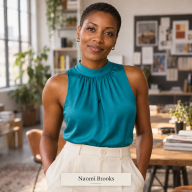
Naomi Brooks writes practical social media field guides for small businesses at SocialBlaze — the organic social media scheduling and analytics platform built for independent brands.
Case-study videos are embedded from their creators’ public accounts and remain the property of their creators. Figures mentioned reflect publicly visible information at the time of publication (October 2026). SocialBlaze is an organic social media management tool — it does not run ads or manage paid campaigns.

