
Read the room.
Network by network.
A planned sentiment meter brings positive, neutral, and negative signals to the top of your listening workspace, so you can see where to look closer.
Start Free Forever →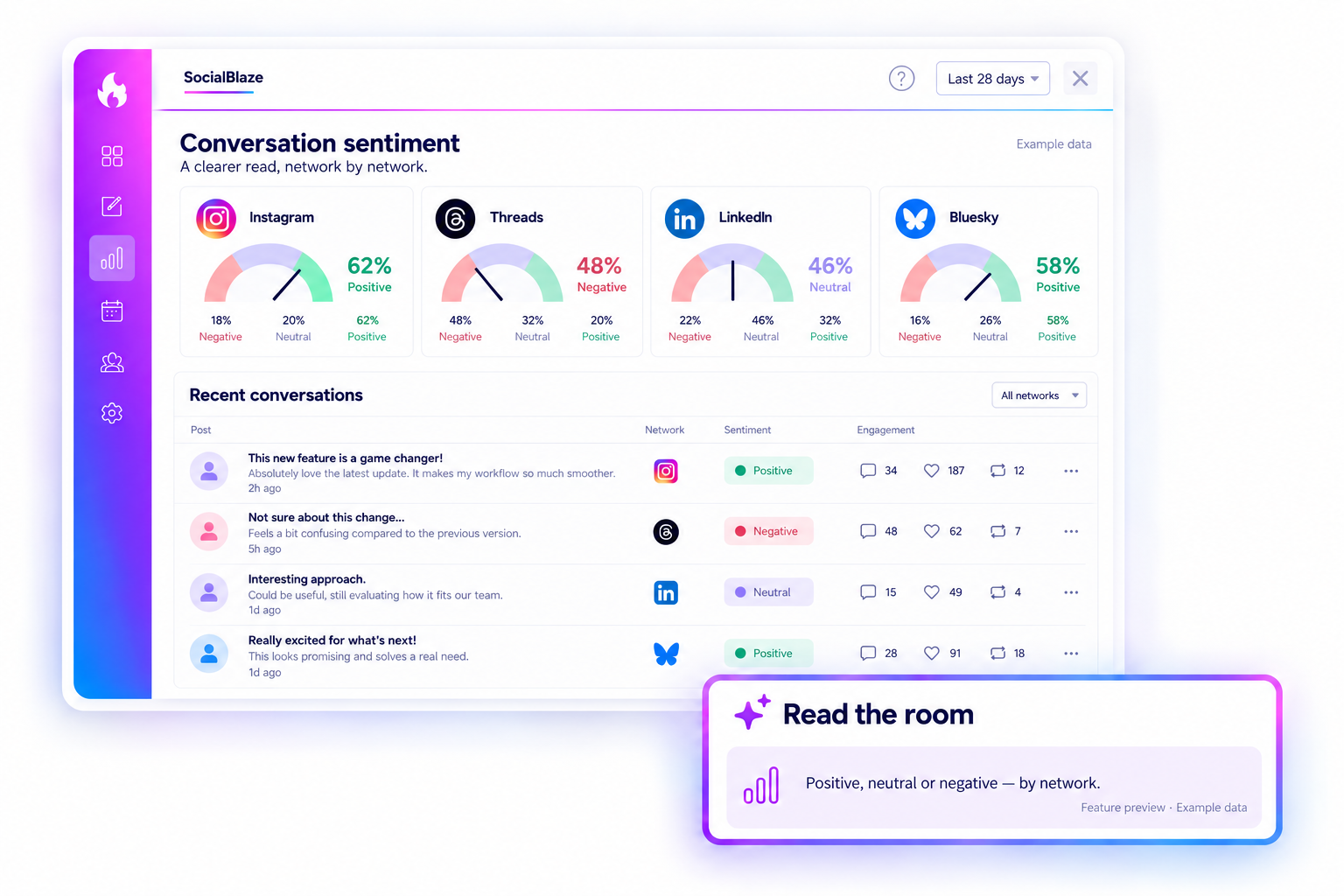
YOUR BRAND, IN THE CONVERSATION
A little perspective before you dive in.
The proposed view pairs a compact sentiment meter for each network with the conversations and engagement context that help explain the response.
01 · A SIGNAL TO LOOK CLOSER.
Start with the meter. Read the conversation.
The planned meter summarizes the tone for each network. A shift toward negative sentiment can help you choose where to look next; the underlying comments and replies provide the meaning behind that signal.
Start Free ForeverFeature preview. Final availability and analysis details will be confirmed at release.
02 · THREE SIGNALS. A CLEARER START.
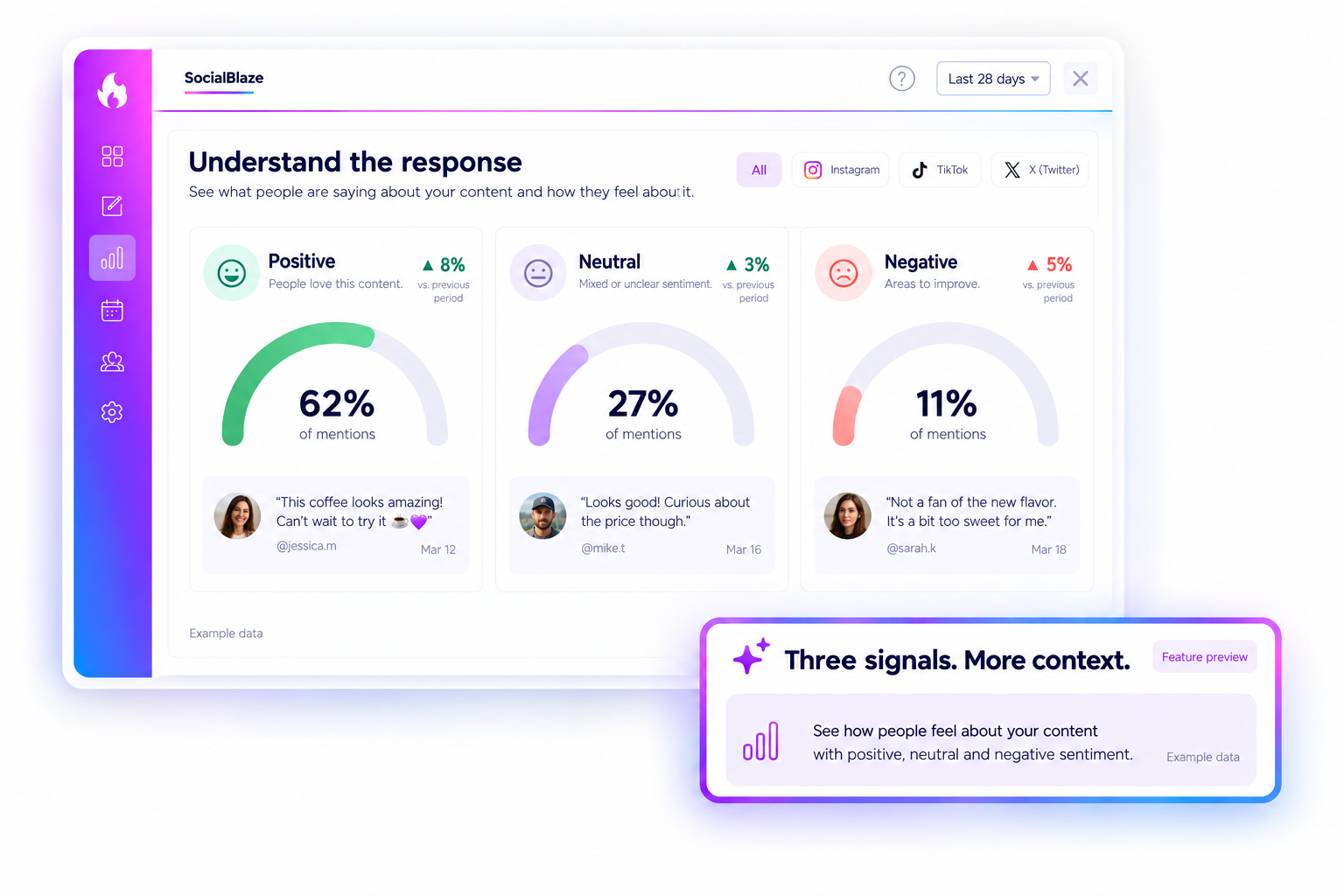
Positive, neutral, or negative.
The planned sentiment view separates three types of response instead of putting every interaction into one total. Positive feedback can point to something people appreciate. Neutral comments may contain a question or factual observation. Negative feedback may reveal confusion or a concern. The meter helps you choose where to look; the conversation explains why a response deserves attention.
Start Free ForeverFeature preview. Final availability and analysis details will be confirmed at release.
03 · LOOK BEYOND THE COUNT.
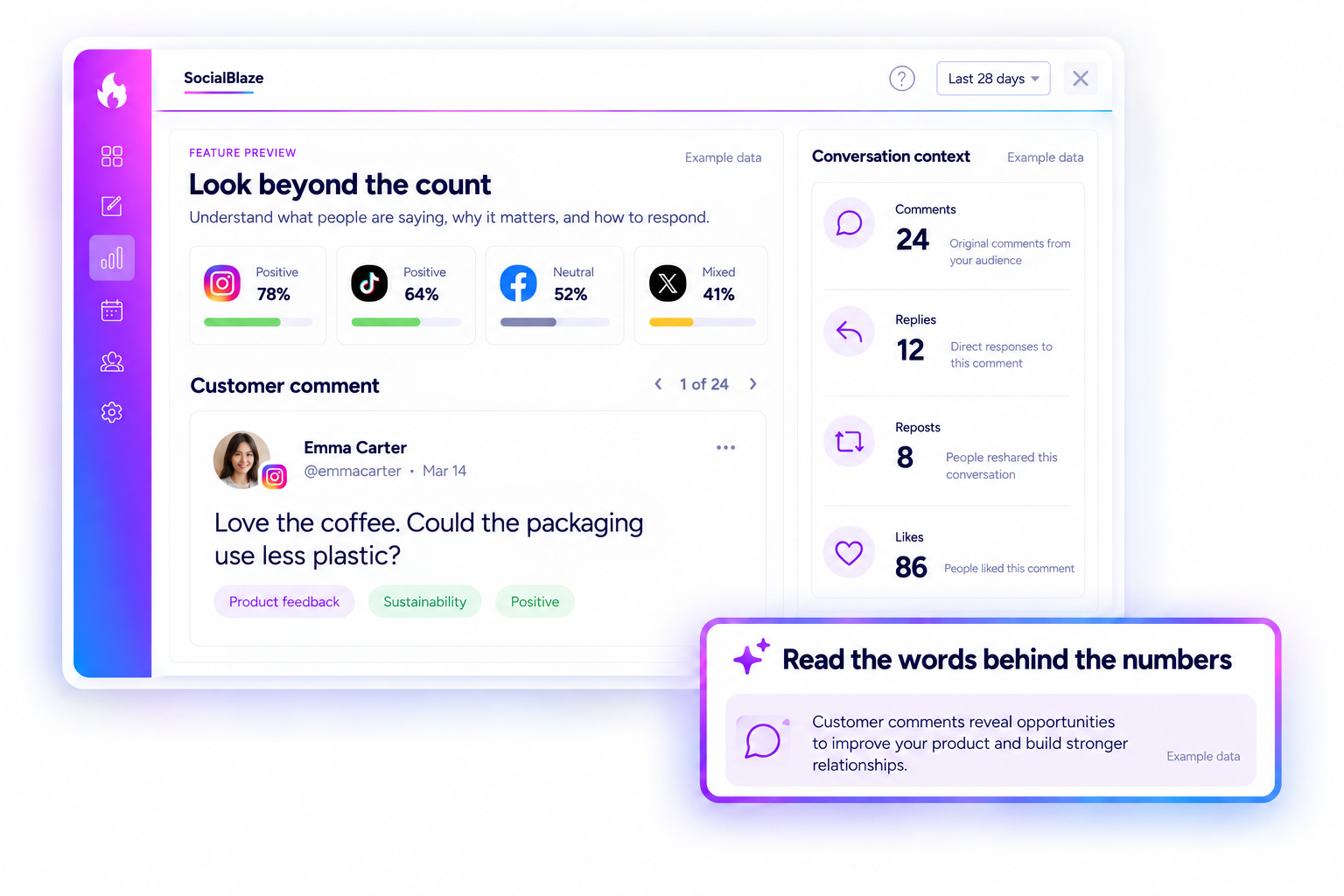
Keep comments and engagement in perspective.
Comments, replies, reposts, and likes show different kinds of activity around your content. The planned sentiment view brings that interaction context alongside the conversation, so you can look beyond a single headline number. A like or repost does not explain a person’s intent by itself. Read the available words, consider the source, and use the meter to guide a closer look.
Start Free ForeverFeature preview. Final availability and analysis details will be confirmed at release.
04 · EVERY NETWORK. ITS OWN LANE.
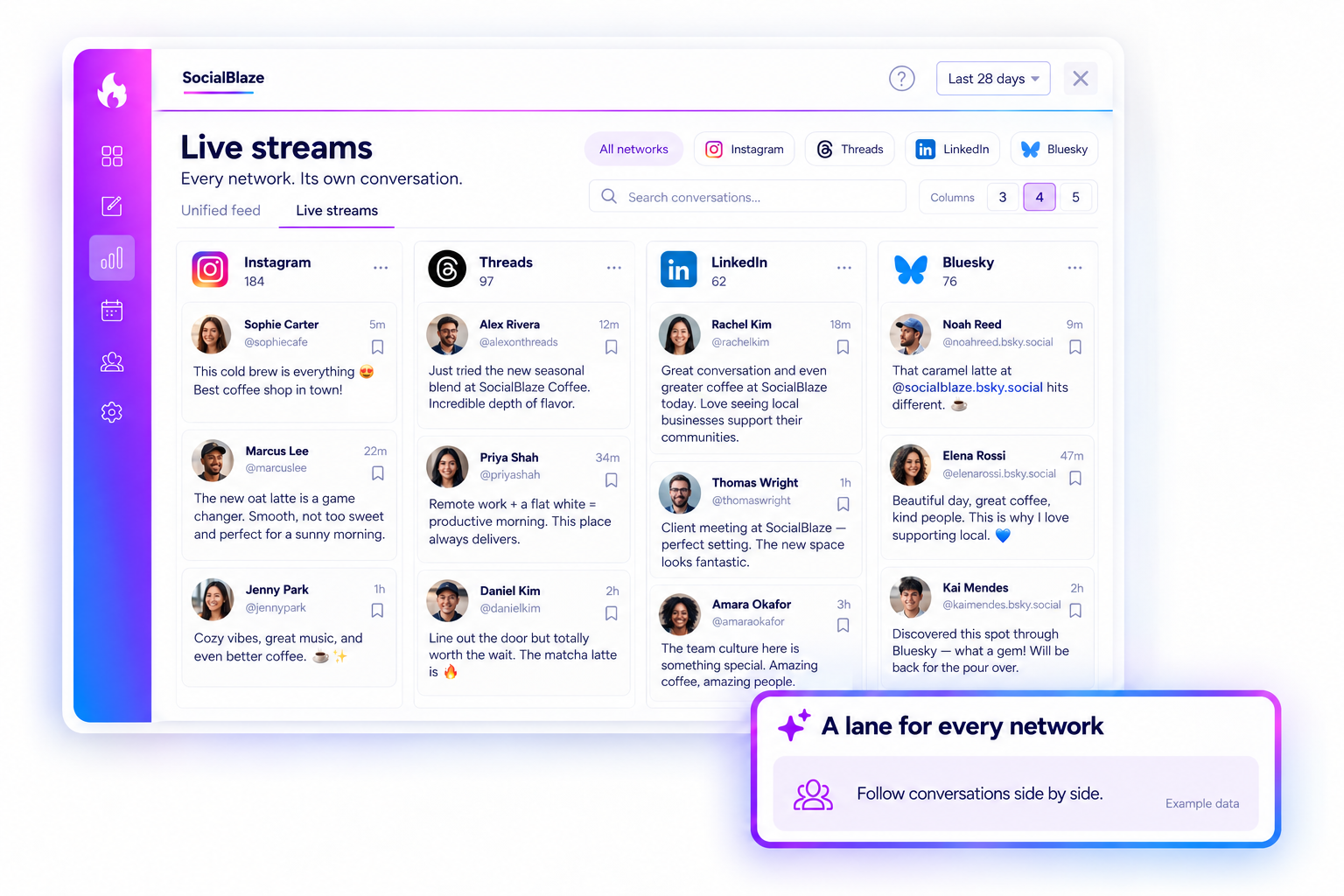
Follow the conversation side by side.
Switch to live streams for a dedicated lane for each selected network. Choose your column layout, scan the latest available conversations, and move between channels without losing your place.
Start Free ForeverFeature preview. Final availability and analysis details will be confirmed at release.

