
Every network.
Its own conversation.
Give each network a lane. Follow available conversations side by side, adjust your column layout, and keep your channels in view as new results arrive.
Start Free Forever →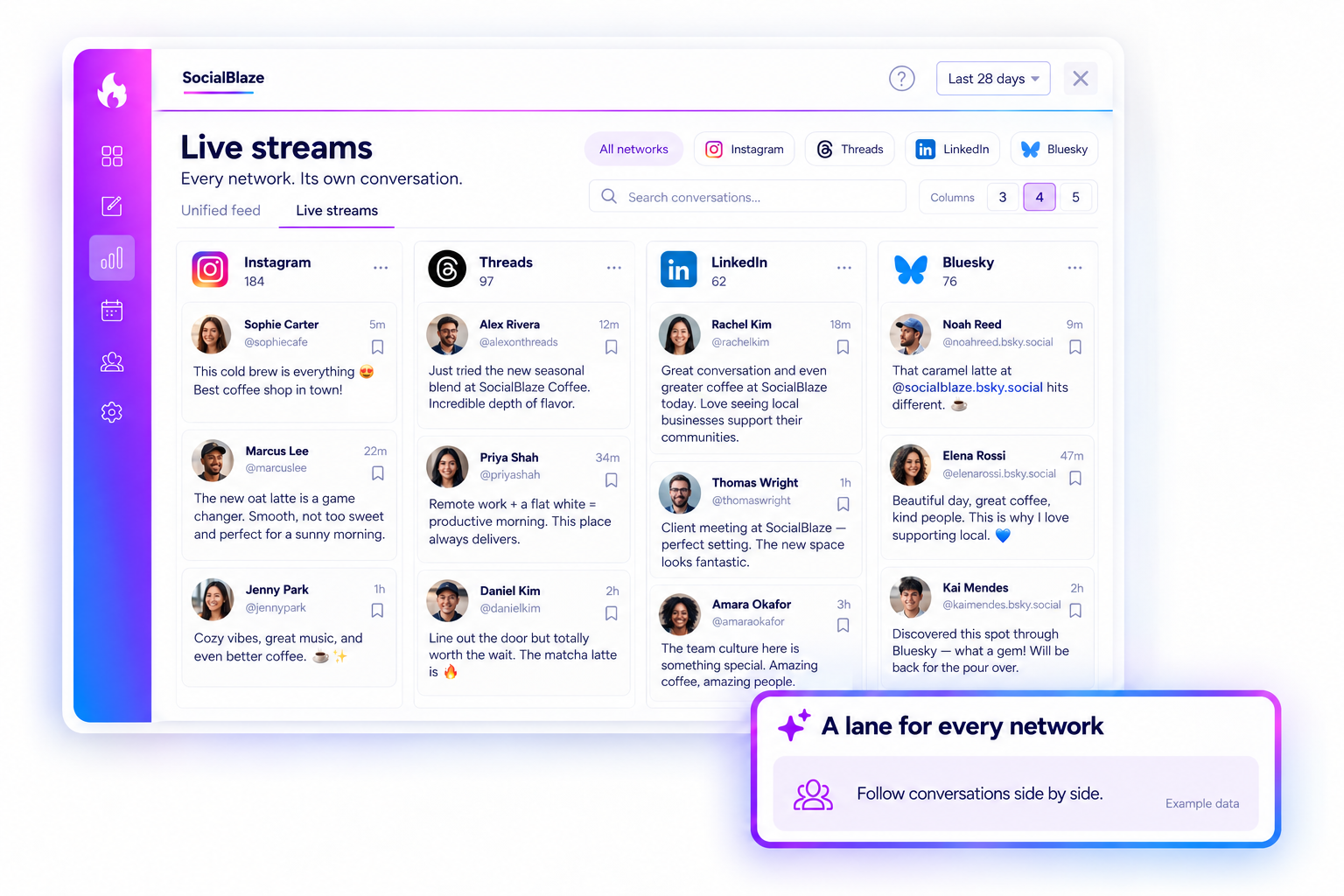
YOUR BRAND, IN THE CONVERSATION
A wider view of the conversations that matter.
Live streams organize your listening workspace around the networks you choose, with conversation cards grouped into dedicated lanes.
01 · YOUR VIEW. YOUR WAY.
Make room for the networks you manage.
Choose a layout that fits your screen and the networks you want to follow. Use a few wider columns for a focused view, or bring more lanes into view when you want a broader scan.
Start Free Forever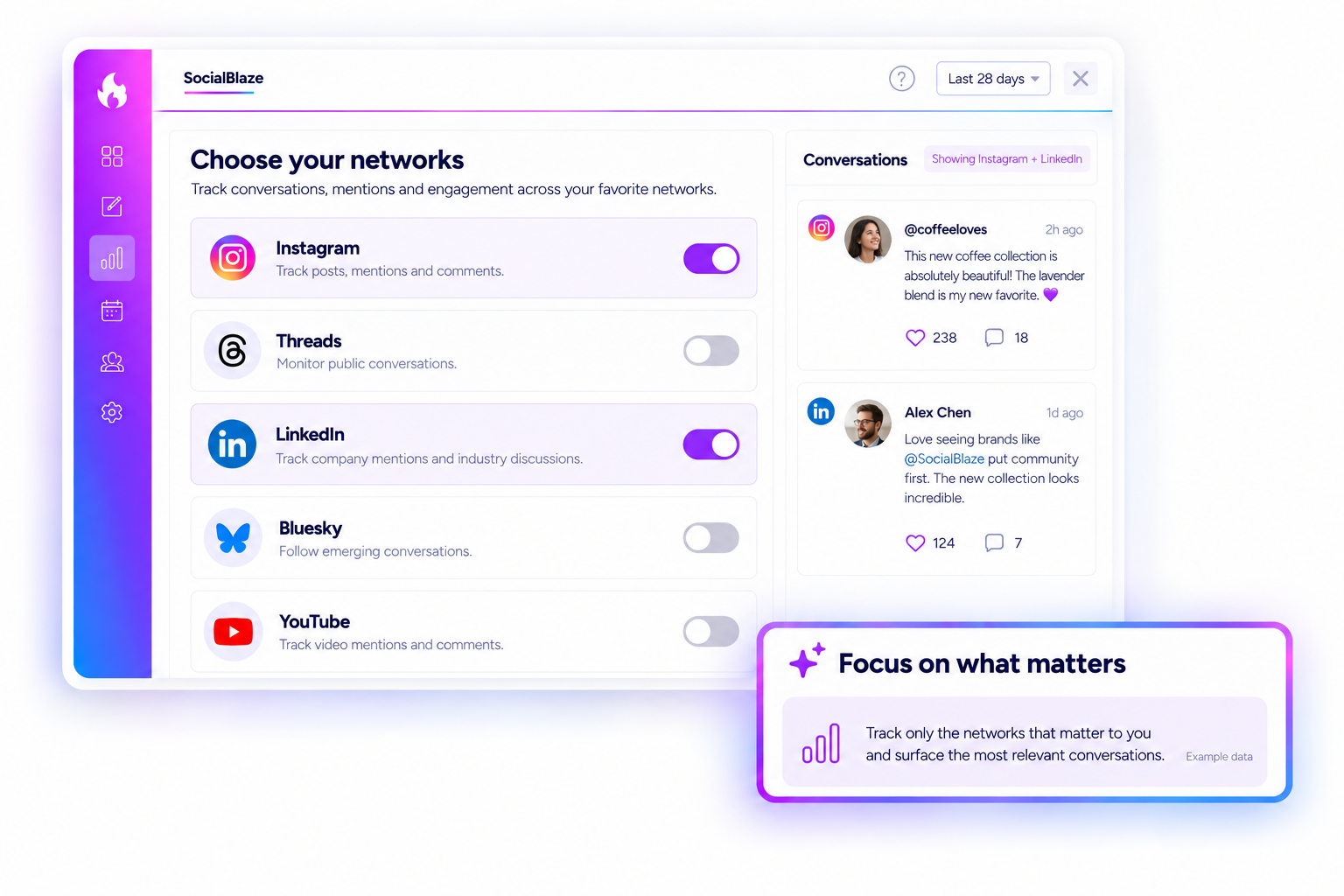
02 · CHOOSE WHAT YOU WANT TO HEAR.
Give your attention to the right networks.
Choose the connected networks you want to follow and leave unrelated conversations out of your view. Review one channel for a focused task, or bring several networks together when you need a broader picture. The account and source details stay with each available conversation, so a similar comment on two networks does not lose its context.
Start Free Forever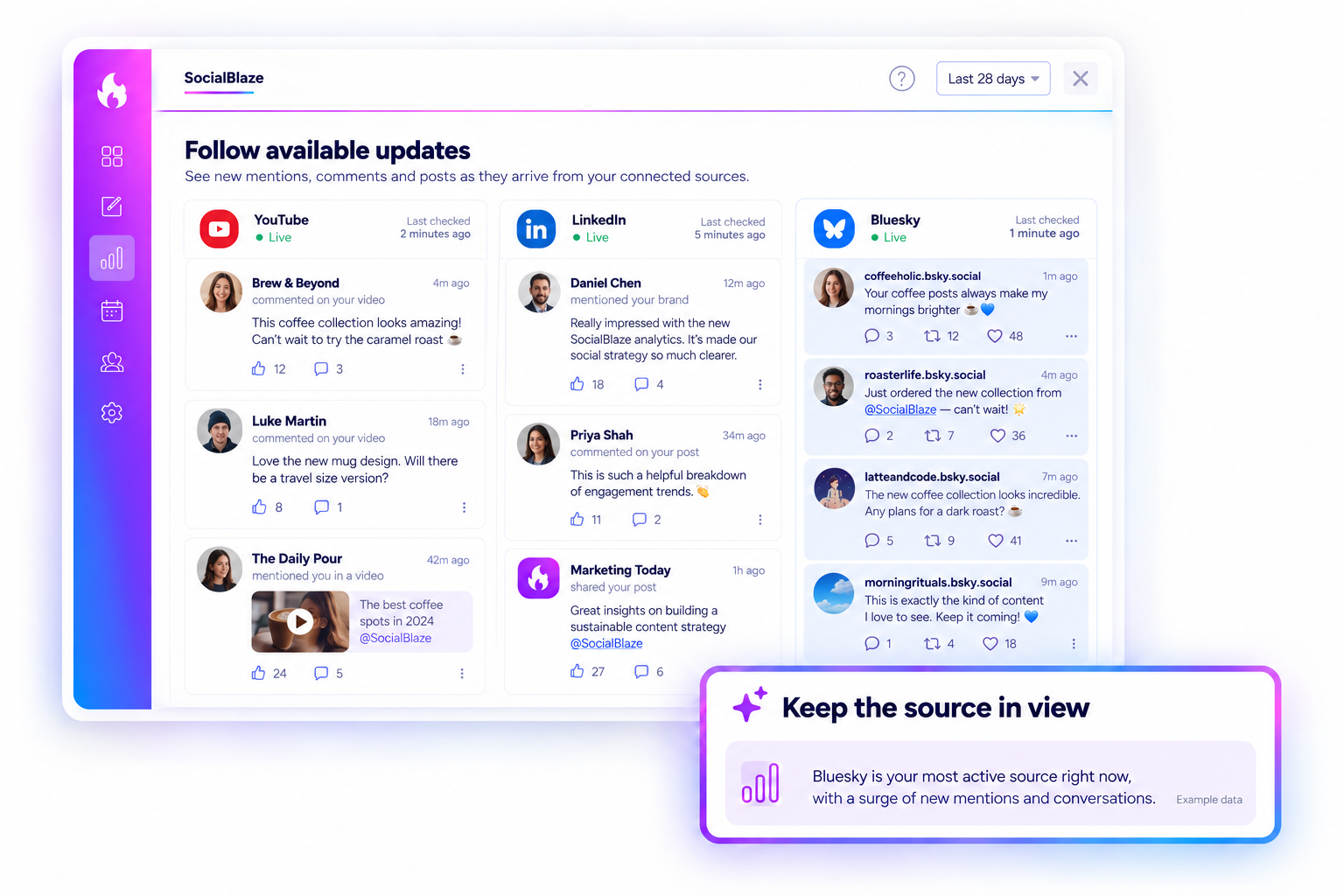
03 · FOLLOW THE SOURCE. KEEP THE CONTEXT.
Know which lane needs another look.
Each network has its own pace and access requirements. Keep the network context visible as connected sources are checked and new available conversations arrive. Use your lanes to spot where activity is building, then open a conversation for a closer read. A quiet lane is a reason to check its source context, rather than assume nobody is talking.
Start Free Forever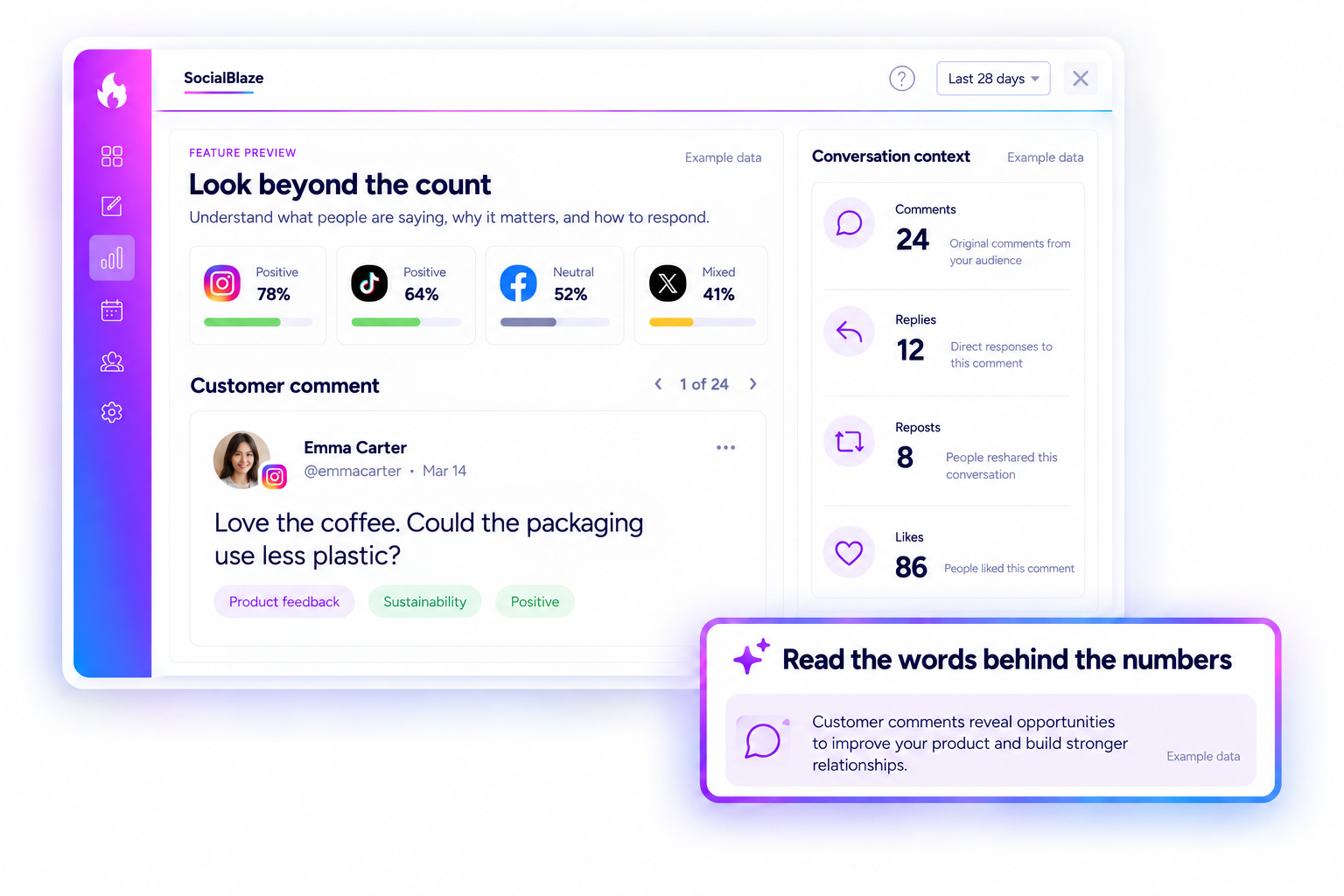
04 · THE DETAILS BEHIND THE UPDATE.
Keep the person and network in view.
See the available author, source, and conversation text together. Open the original conversation when a source link is available, and make your next decision with the context in front of you.
Start Free Forever
