
A hands-on guide to keeping Page details accurate, writing posts people can act on, and turning comments into a better customer experience.
A Facebook Page often becomes the quick local check: is this place open, what is happening today, and will someone answer? Start with the information that helps a neighbor decide whether to visit, call, or keep scrolling.
The playbook at a glance
A real example worth studying
Meta · Sasa Sushi local-business story · source linked
Public source
Meta’s 2018 story profiles Sasa Sushi in Tottori, Japan. Owner Mieko Inada created a Facebook Page in 2012; Meta reported that more than half of the restaurant’s new customers discovered it on Facebook. This is a dated company account, not a present-day benchmark.
Keep the Page details current, answer real local questions, and ask new customers how they found you.
Audit the details that can quietly lose a customer
A person who finds an old phone number or unclear service area may leave before they ever see your best post. Pick one owner for Page accuracy and check the details customers rely on.
Hours and contact. Confirm hours, phone, website, and holiday exceptions against the source of truth. If a temporary change is important, post it and update the underlying Page detail where possible.
Services and geography. Name the work you actually take on and the neighborhoods you serve. Remove claims that invite requests your team cannot fulfill.
Call to action. Click the Page’s primary button from a customer’s point of view. Confirm it reaches the current booking, contact, or information destination—not an old campaign.
Write updates people can understand in the feed
A good Page post starts with the news or answer, not a paragraph of brand throat-clearing. Add enough specifics for someone to decide whether it matters to them.
Lead with the change. “We’re open until 7 this Thursday” beats “We have an exciting announcement.” Include date and local time if there is any chance of confusion.
Make the image earn its space. Use a real photo of the item, place, or process being discussed. Add a short description for context and keep important details in text too.
Use one clear next step. Ask a person to reserve, read, bring something, or reply with a relevant detail. Avoid competing links and vague “thoughts?” prompts.
Turn recurring comments into better service
Comments are not just engagement counters. They are a public record of where the post or process left someone uncertain.
Answer the question in public. If a person asks whether beginners are welcome, answer that exact question and link to class details. Don’t force a DM for basic information.
Move private details carefully. If resolving the issue needs an order number or personal information, explain why you’re moving to a private channel and what happens next.
Close the loop. When the answer changes—availability, hours, policy—update the source post or Page details so the same confusion doesn’t persist.
A practical update, written all the way through
Use this structure only after you confirm the event details. Keep the date, place, offer, limits, and destination in the post itself so a neighbor can decide without guessing.
Why this works. It tells a local reader when, where, what is included, and what is not. It does not bury the conditions in an image.
Before you publish. Confirm the location, staff coverage, hours, and offer capacity. If the event fills, update the post so a late reader is not misled.
[Event name] is [day, date] from [start–end time] at [location]. We will [specific activity or service]. [Who can take part, price, and any capacity or eligibility limits]. See [event details or booking link] before you head over. Questions? [Monitored contact route].
Inside a Facebook discovery story: Sasa Sushi
A real business example published by Meta · August 2018
Reported example
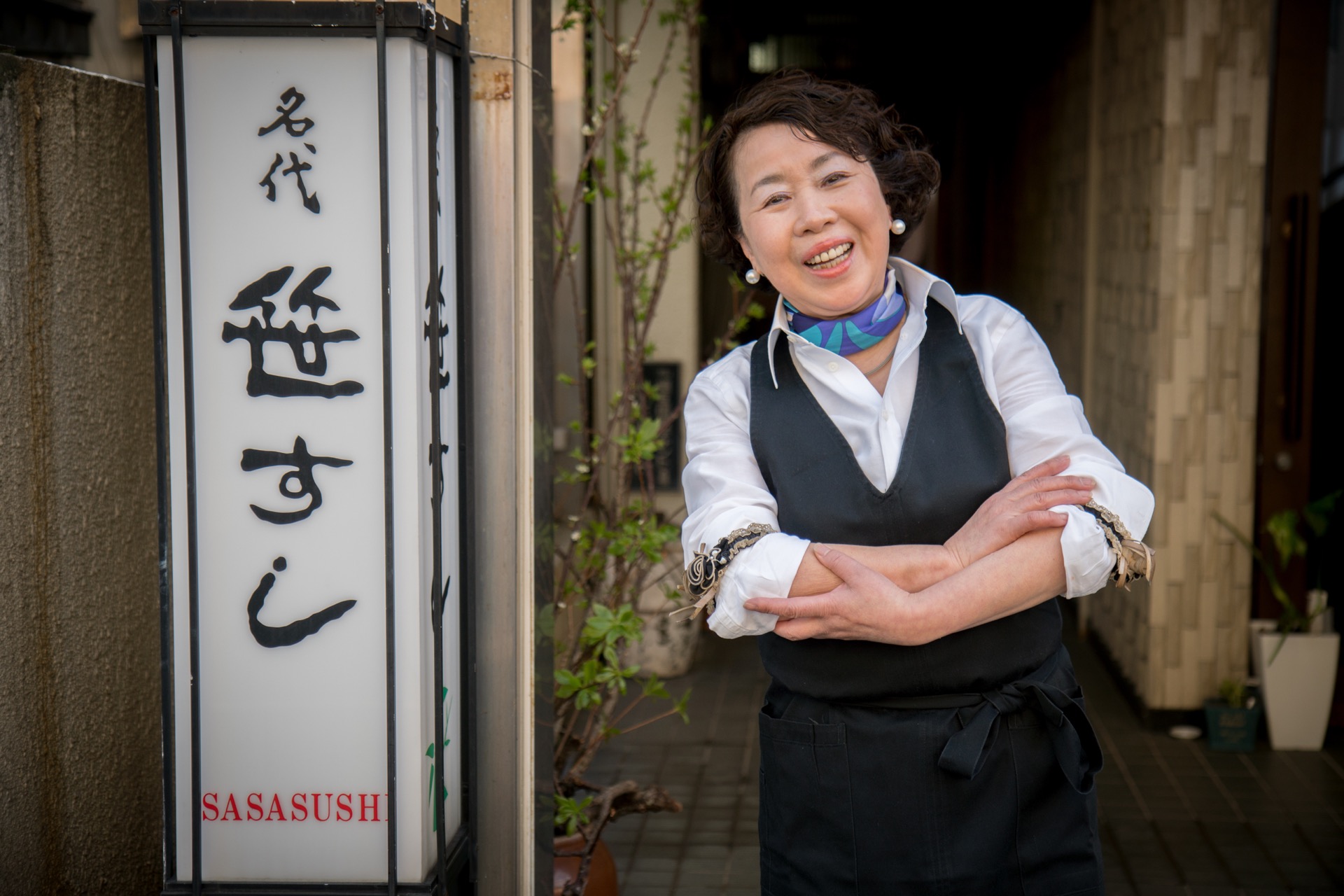
Meta’s story says owner Mieko Inada created the Page in 2012, despite having no computer experience. The company reported that more than 50% of Sasa Sushi’s new customers discovered it on Facebook.
This is a dated, company-reported example—not a current benchmark or proof that a Page alone caused the result. The practical takeaway: make the Page and each update answer real local questions, then ask new customers how they found you.
Two Irish businesses show the work behind the product
Meta Newsroom · small-business feature
Embedded video
Watch for the opening, the detail that makes the story specific, and the moment the viewer understands what to do next.
Open Meta’s video story ↗Original media stays with its publisher. SocialBlaze embeds the public player and links to its source.
A manageable Page rhythm
Keep the Page active with updates that serve real customer moments. This is a working cadence, not a platform rule.
MON · Check. Review Page details, recent questions, and any temporary service changes.
TUE · Answer. Publish one practical answer to a real repeated question.
WED · Reply. Handle comments and route private cases with a clear handoff.
THU · Show. Share a current, real image of work, a product, or a place.
FRI · Invite. Post a specific event or availability only if confirmed.
SAT · Listen. Capture new questions from the people you serve.
SUN · Reset. Update your response notes and plan the next useful post.
Check whether people got the information they needed
Track outcomes that match the reason for the post. A service update, event announcement, and customer story should not all be judged by the same reaction count.
For an update. Check clicks or calls to the correct destination and whether customers still ask the detail the post was meant to clarify.
For an event. Record registrations or attendance using a simple, consistent method. Compare like-for-like events; don’t attribute every walk-in to a post.
For service conversations. Track first response time and unresolved questions. A fast reply that never resolves the issue is not a successful outcome.
Your first four weeks
Collect real questions and inspect the source material.
Publish a small set of distinct post jobs and answer every relevant reply.
Compare the same outcome across similar posts; change one variable.
Keep what earned a useful action and update the weakest handoff.
Record the post, format, opening, audience, offer, timing, and the next action. If the audience is small, keep learning; don’t turn a handful of views into a rule.
Facebook questions from the workday
Should I post every day?
Only if you have useful, current information and enough capacity to respond. A dependable rhythm is better than frequent posts that are stale.
Should I hide a critical comment?
Answer factual criticism calmly and correct mistakes. Use moderation for abuse or personal information, and follow the Page’s stated policy consistently.
Can I use the same copy everywhere?
Reuse the facts, but edit for the network and audience. Facebook readers may need local context, event logistics, or a clear service answer.
Make the idea. Give it a place to go.
Draft, review, and plan your social posts from one workspace.

Original guide draft. Case-study links point to their publishers; sample post copy is clearly marked as an example.
Real-world source: Meta · Sasa Sushi local-business story. The SocialBlaze copy and examples are original. Documented third-party results are campaign-specific and are not presented as typical outcomes.

