
Plan a useful video from the viewer’s question: match the promise, show the result early, explain the process, and give the viewer a sensible next watch.
A viewer clicks for a promise and stays when the video keeps it. Treat the title, thumbnail, opening, and ending as one continuous handoff; a mismatch at any point wastes the viewer’s time.
The playbook at a glance
A real example worth studying
YouTube Official Blog · three creator businesses (2026) · source linked
Public source
YouTube’s June 2026 creator story documents three different format-to-business paths: Ms. Beanie tags products naturally inside entertainment videos; The Fitness Marshall used memberships to build a paid community and finance a team and activewear line; Magdaline Janet reworked long vlogs as Shorts after Analytics showed that format resonated better. This is YouTube’s account of those named creators, not a universal growth recipe.
Study how the format serves the creator’s actual audience and business model; use your own retention and returning-viewer data to choose what to repeat.
Design the video around one viewer job
A broad topic produces a wandering video. Pick one question the viewer is trying to answer, then set a boundary around what they can safely do after watching.
Write the viewer question. Use the words you hear from customers or see in support. “How do I fix my bike?” is too broad; “How can I check whether my brake lever feels unusually loose?” is a defined job.
Define the useful finish. Decide what the viewer will know or be able to judge. For safety-sensitive work, tell them what not to attempt and when to stop.
Draft a promise you can fulfill. The title and thumbnail should represent what the video actually shows. Don’t imply a guaranteed result or a demonstration that is not in the footage.
Show why the viewer should stay
Don’t make someone wait through a long branded intro to confirm they clicked the right video. Establish the problem, show the relevant outcome, and map the steps.
First shot. Show the object or result the title names. Say who the walkthrough is for and the important limitation.
Roadmap. Give a short sequence: what you’ll inspect, what each result can mean, and when professional help is appropriate.
Remove setup drift. Move greetings, sponsor disclosures, and context to the place where they help; keep required disclosures clear and timely.
Make demonstrations legible on a phone
A close-up, a pause, or a simple overlay can carry more than another minute of narration. Plan shots around what a viewer needs to see to understand each step.
Frame the evidence. Keep the important movement in frame. Capture a wide view for context and a close view for details that would otherwise be hard to see.
Narrate the decision. Explain what you are checking and what a different result would mean. Don’t show a hand moving without explaining the cue.
Add chapters after the edit. Use chapter labels that describe viewer tasks. Confirm timestamps after the final edit so navigation lands at the right moment.
Three real creator decisions, three different video jobs
YouTube’s June 2026 feature profiles Ms. Beanie, The Fitness Marshall, and Magdaline Janet. These examples show distinct creator choices; they are not instructions that every small business should copy.
Use the creator’s actual decision. Read the linked case for context before applying it. A product tag, membership, and Shorts test solve different problems.
Check the analytics that match the goal. Review retention, click-through, returning viewers, and qualified product actions separately. One result does not prove another.
Product appears in the scene → tag that product. · A loyal audience wants more access → test an appropriate membership benefit. · Long videos underperform for a topic → review retention and try a short cutdown. Keep the format tied to your own viewer behavior.
Three creators, three real format decisions
Examples from YouTube’s June 2026 creator feature · source imagery credited below
Creator case study
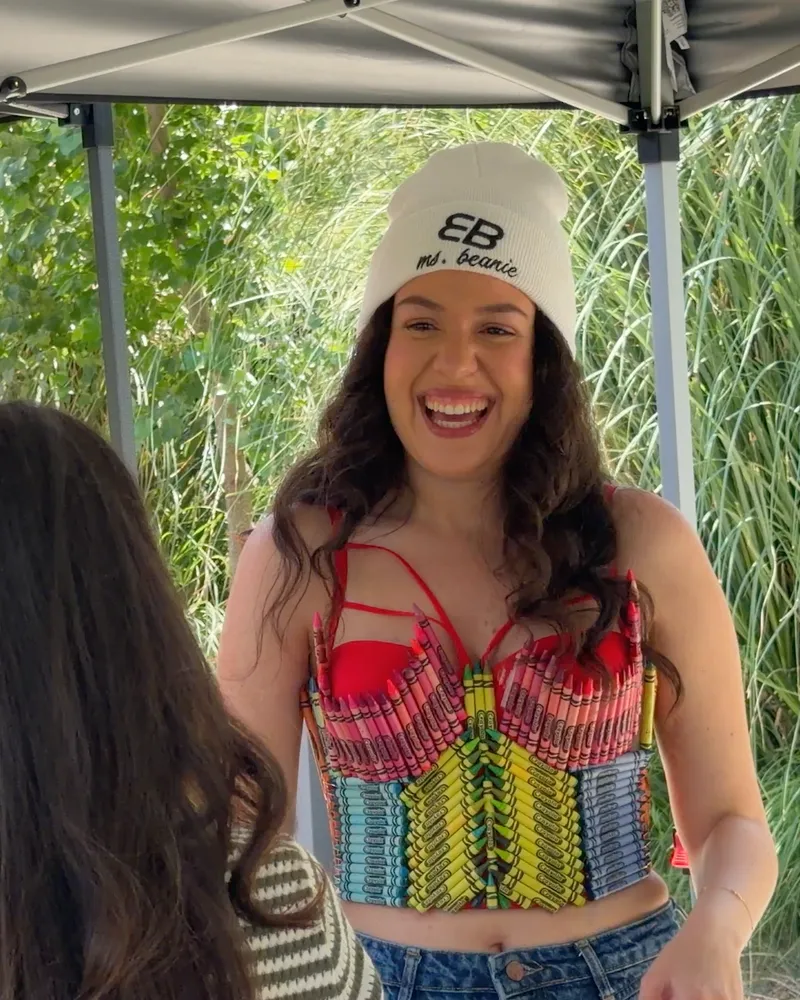 MS. BEANIE · ENTERTAINMENTMake product mentions fit the video
She adds a product sticker when an item enters the scene, keeping the storefront connected to the entertainment rather than interrupting it with a separate sales pitch.
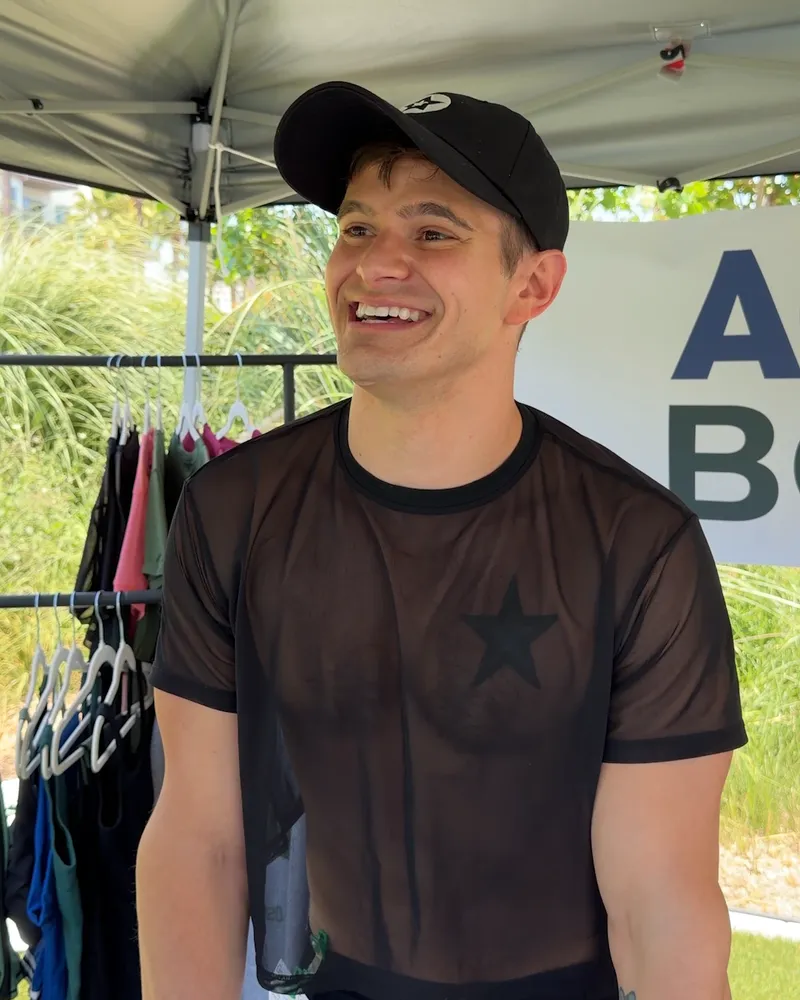 THE FITNESS MARSHALL · MEMBERSHIPLet community support fund the next chapter
Memberships gave the dance channel recurring support and exclusive live-stream perks; that helped fund a team and an activewear brand.
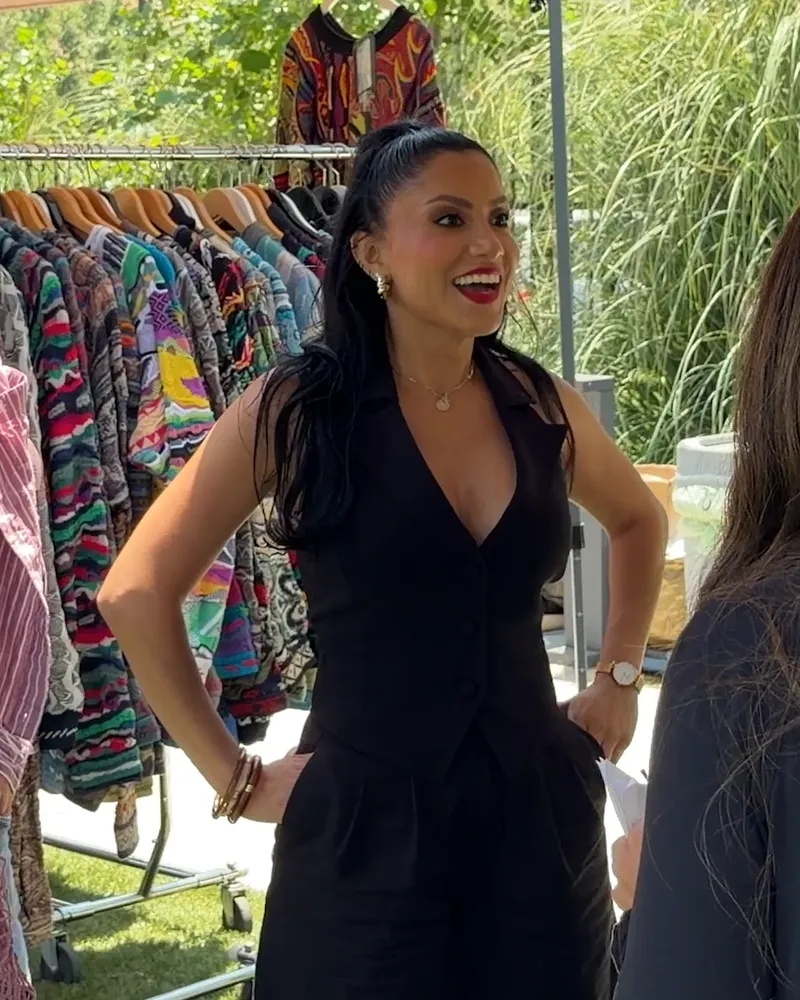 MAGDALINE JANET · FORMAT TESTRe-cut what the audience already likes
Her long vlogs did not resonate as well; the same ideas took off as Shorts. She describes using Analytics to let audience response guide the format.
A creator tells the story of building Ice Cream Conversations
Google for Publishers · creator profile
Embedded video
Watch for the opening, the detail that makes the story specific, and the moment the viewer understands what to do next.
Read the publisher story ↗Original media stays with its publisher. SocialBlaze embeds the public player and links to its source.
Turn one filming session into a useful video set
Batch only where it saves effort. Don’t make five derivative clips if the underlying question is still unanswered.
MON · Choose. Select one question and verify the answer with the right expert.
TUE · Outline. Write the promise, opening proof, steps, caveats, and next watch.
WED · Film. Capture context, demonstration close-ups, and a clean explanation.
THU · Edit. Remove repeated setup; add accurate labels and chapters.
FRI · Publish. Check title, thumbnail, destination, captions, and links.
SAT · Listen. Collect comments that reveal where viewers got stuck.
SUN · Plan. Use one real confusion as the next video brief.
Use retention as a diagnostic, not a grade
Look at audience retention alongside clicks and useful next actions. A dip can mean the answer arrived late, the shot was unclear, or the section was not what the viewer expected.
Promise match. Compare title and thumbnail language with the opening. If people click but leave early, check whether the video proves the promise quickly.
Teaching clarity. Find sharp drop-offs and inspect the exact moment. Is the visual unclear, the wording too technical, or a necessary step missing?
Next watch. Review end-screen clicks, relevant links, and comments for the next question. Use them to improve the learning path, not to force unrelated views.
Your first four weeks
Collect real questions and inspect the source material.
Publish a small set of distinct post jobs and answer every relevant reply.
Compare the same outcome across similar posts; change one variable.
Keep what earned a useful action and update the weakest handoff.
Record the post, format, opening, audience, offer, timing, and the next action. If the audience is small, keep learning; don’t turn a handful of views into a rule.
YouTube questions from the workday
Should every video be short?
No. Make it as long as the explanation needs and as short as clarity allows. Remove repetition, not necessary context.
Can I use AI-generated footage?
Use it only when it accurately illustrates the subject and is disclosed where viewers could mistake it for real evidence. For a real demonstration, film the real process.
What if the video has low views?
Check search intent, packaging, topic demand, and distribution before assuming the teaching is weak. Change one thing at a time so you learn from the result.
Make the idea. Give it a place to go.
Draft, review, and plan your social posts from one workspace.

Original guide draft. Case-study links point to their publishers; sample post copy is clearly marked as an example.
Real-world source: YouTube Official Blog · three creator businesses (2026). The SocialBlaze copy and examples are original. Documented third-party results are campaign-specific and are not presented as typical outcomes.

